Reference management solution using Python and Notion.

Overview

notion-scholar

Reference management solution using Python and Notion.

The main idea of this app is to allow to furnish a Notion database using a BibTex formatted string or file. It also helps you to organize papers, create a bibliography and give you the opportunity to annotate the publications directly on their Notion's pages.

Database

publication-database

Example of a database obtained using notion-scholar.

Requirements

The properties necessary to import publications in the database are the following:

  • title (Name of the page)
  • authors (Text)
  • year (Number)
  • journal (Text)
  • filename (Text)
  • url (URL)
  • abstract (Text)
  • bibtex (Text)
  • inbox (Checkbox)

The properties can have any capitalization.

Template

Dashboard template images

inbox fields by-status by-field
by-filename


field-page

Link to the template

Installation

pip install git+https://github.com/thomashirtz/notion-scholar#egg=notion-scholar

You can now call the application using notion-scholar or ns

Help

For getting help it is possible to call:

ns --help
Output:
usage: Use "notion-scholar --help" or "ns --help" for more information

notion-scholar

positional arguments:
  {run,set,inspect-config,clear-config}
                        Selection of the action:
                        
    run                 Run notion-scholar.
    set                 Save the default values of notion-scholar.
    inspect-config      Inspect the notion-scholar config.
    clear-config        Clear the notion-scholar config.

optional arguments:
  -h, --help            show this help message and exit

Four main mode exists: run, set, inspect-config and clear-config. The help can be called this way:

ns 
   
     --help


ns run --help
Output:
) -f , --bib-file-path Bib file that will be used. This argument is required if the bib file is not saved in the config and no bib-string is passed. (default: ) -s , --bib-string Bibtex entries to add (must be in-between three quotes """ """). By default, the entries will be saved to the bib file from the config. It is possible to disable this behavior by changing the "save" option: "ns set -save false".">
usage: Use "notion-scholar --help" or "ns --help" for more information run [-h] [-t] [-db] [-f] [-s]

optional arguments:
  -h, --help            show this help message and exit
  -t , --token          Token used to connect to Notion. (Already set? True)
  -db , --database-url
                        Database that will be furnished (default: 
      
       )
  -f , --bib-file-path
                        Bib file that will be used. This argument is required if the bib file is not saved in the
                        config and no bib-string is passed. (default: 
       
        )
  -s , --bib-string     Bibtex entries to add (must be in-between three quotes """
        
         """). By default, the
                        entries will be saved to the bib file from the config. It is possible to disable this behavior
                        by changing the "save" option: "ns set -save false".


ns set --help
Output:
) -s , --save Set whether the entries from "bib-string" will be saved in the bib file. (default: True) -t , --token Save the Notion token using "keyring". -db , --database-url Save the database-url in the user config using the library "platformdirs". (default: )">
usage: Use "notion-scholar --help" or "ns --help" for more information set [-h] [-f] [-s] [-t] [-db]

optional arguments:
  -h, --help            show this help message and exit
  -f , --bib-file-path
                        Save the input file path in the user config using "platformdirs". The path must be absolute
                        and the file need to exist. (default: 
     
      )
  -s , --save           Set whether the entries from "bib-string" will be saved in the bib file. (default: True)
  -t , --token          Save the Notion token using "keyring".
  -db , --database-url
                        Save the database-url in the user config using the library "platformdirs". (default: 
      
       )


Setting up

Token and database URL

For the first use, it is recommended to set up the configuration file. The main parameters to save are the token (which will be securely saved using the "keyring" library) and the database-url.

ns set --token 
   
     --database-url 


or

ns set -t 
   
     -db 


Note: The notion token can be found by:
Launching a browser ⇨ Connect to notion.so ⇨ Inspect (F12) ⇨ Cookies ⇨ token_v2

Bib file path

If you want to set the default bib path that will be used when the ns run is called, you can set it by typing:

ns set --bib-file-path 


or

ns set -f 


The bib file needs to exist and the file path needs to be absolute.

Inspecting & clearing the configuration

It is possible to see all the configurations saved by typing:

ns inspect-config

Moreover, it is possible to erase all the config saved (token, database_url, ...) by running:

ns clear-config

How to use ?

There is three main way to use this application:

  1. Setting up the bib-file-path and call the run mode (It will automatically upload the new publications from the bib file into the database):
ns run
  1. Giving the bib-file-path argument:
ns run -f 


  1. Giving a bib-string argument (/!\ be careful to type three quotes """ before pasting the bib-string) :
"""">
ns run -s """"
   
    """


The --token (-t) and the --database_url (-db) are also required, however, if they have been set, they don't need to be added again to the argument list.

Tips

Bibtex keys

When uploading a BibTex file into the database, the BibTex citekey will be mapped to the property "filename". This is because it seems convenient to have the same name for the key and the filename. It is therefore advised to change the citekey before uploading to Notion.

This is ~ the nomenclature I used for the citekey (source). Feel free to take inspiration:

Nomenclature

Filename:
aaaayyyyxxxx.pdf

Where:

  • aaaa: Name of the first author (variable length)
  • yyyy: Year of publication (fixed length)
  • xxxx: First word of title, minus articles and other small words (variable length)

For example:
Attention Is All You Need, Ashish Vaswani et al., 2017

Would give:
vaswani2017attention.pdf

If an author publish two papers the same year with the same beginning first word, it is possible to add an 1 and 2 depending on which one was the first released.

For example:

  • Soft Actor-Critic Algorithms and Applications, Tuomas Haarnoja et al., 2018 haarnoja2018soft1.pdf
  • Soft Actor-Critic: Off-Policy Maximum Entropy Deep Reinforcement Learning with a Stochastic Actor, Tuomas Haarnoja et al., 2018 haarnoja2018soft2.pdf

Copy equation properties

It is possible to copy the equation in the table view. Here is a comment to explain how, it can be very useful.

To-do

  • Add docstrings
  • Add possibility to upload files
  • Improve template

Feedbacks

If you want to see a new feature, or you have some feedback to give, feel free to email me at [email protected].

Buy me a coffee ツ

If this repository helped you or you if you like this project, feel free to support me!

Donate with PayPal

License

 Copyright 2021 Thomas Hirtz

 Licensed under the Apache License, Version 2.0 (the "License");
 you may not use this file except in compliance with the License.
 You may obtain a copy of the License at

     http://www.apache.org/licenses/LICENSE-2.0

 Unless required by applicable law or agreed to in writing, software
 distributed under the License is distributed on an "AS IS" BASIS,
 WITHOUT WARRANTIES OR CONDITIONS OF ANY KIND, either express or implied.
 See the License for the specific language governing permissions and
 limitations under the License.
You might also like...
Ballcone is a fast and lightweight server-side Web analytics solution.

Ballcone Ballcone is a fast and lightweight server-side Web analytics solution. It requires no JavaScript on your website. Screenshots Design Goals Si

Datargsing is a data management and manipulation Python library

Datargsing What is It? Datargsing is a data management and manipulation Python library which is currently in deving Why this library is good? This Pyt

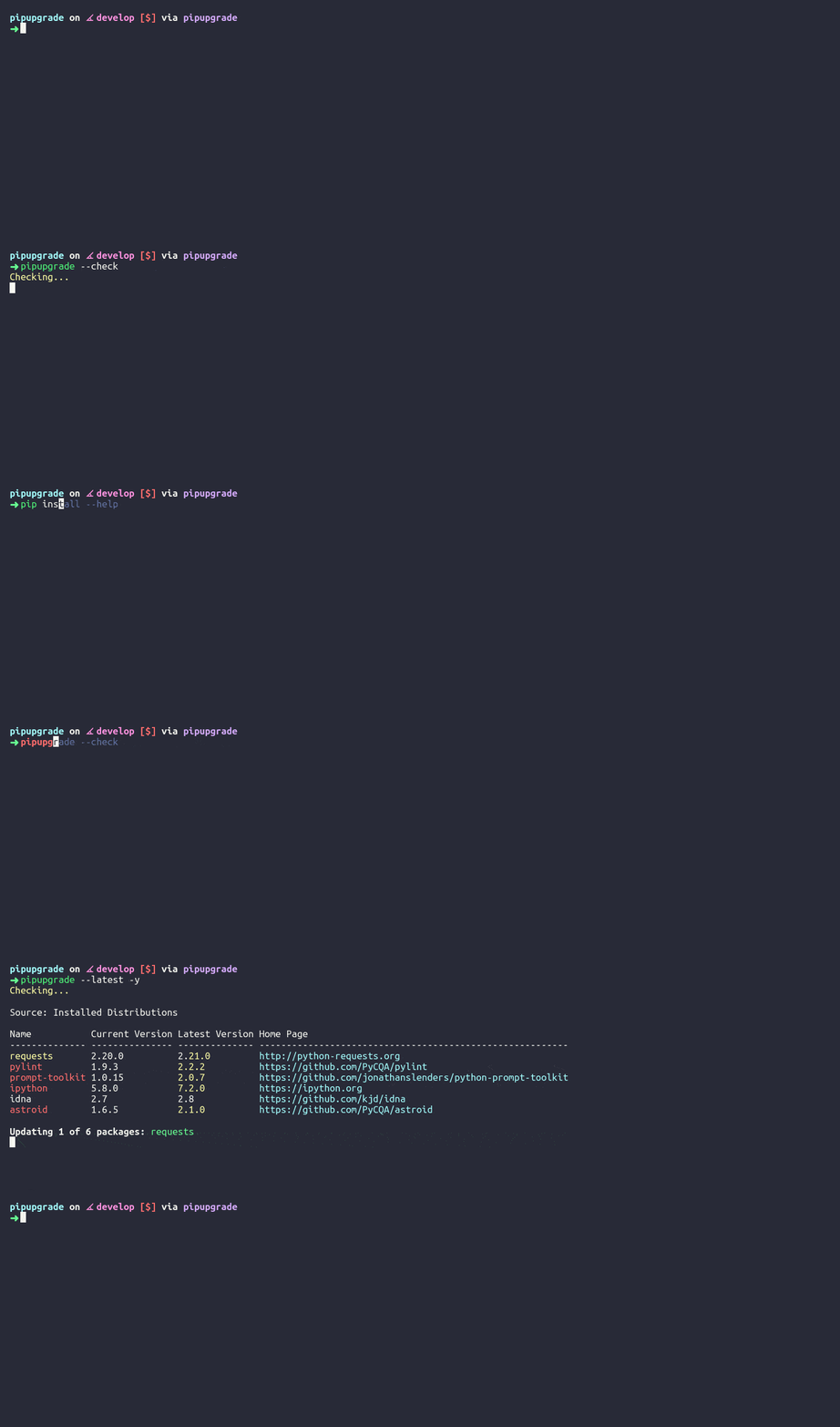
 🗽 Like yarn outdated/upgrade, but for pip. Upgrade all your pip packages and automate your Python Dependency Management.
🗽 Like yarn outdated/upgrade, but for pip. Upgrade all your pip packages and automate your Python Dependency Management.

pipupgrade The missing command for pip Table of Contents Features Quick Start Usage Basic Usage Docker Environment Variables FAQ License Features Upda

Student Result Management System Project in tkinter created based on python, tkinter, and SQLITE3 Database

Student-Result-Management-System This Student Result Management System Project in tkinter created based on python, tkinter, and SQLITE3 Database. The

My solution for a MARL problem on a Grid Environment with Q-tables.

To run the project, run: conda create --name env python=3.7 pip install -r requirements.txt python run.py To-do: Add direction to the state space Take

LPCV Winner Solution of Spring Team

LPCV Winner Solution of Spring Team

A lightweight solution for local Particle development.

neopo A lightweight solution for local Particle development. Features Builds Particle projects locally without any overhead. Compatible with Particle

Placeholders is a single-unit storage solution for your Frontend.

Placeholder Placeholders is a single-unit file storage solution for your Frontend. Why Placeholder? Generally, when a website/service requests for fil

WildHack 2021 solution by Nuclear Foxes team (public version).

WildHack 2021 Nuclear Foxes Team This repo contains our project for the Wildberries Hackathon 2021. Task 2: Searching tags Implement an algorithm of r

Comments
  • After following installation guide, DB links still point to thomashirtz.notion.so

    After following installation guide, DB links still point to thomashirtz.notion.so

    This is a cool library -- it's always nice when you are looking for a functionality and it turns out someone has already implemented it. So first of all, thanks!

    A quick note on usability of installation. The tl;dr is that after following the installation instructions, the Publication and Categories links still point to your Notion; I suggest adding a step in the tutorial explaining how to create new databases and link to them. In some more detail:

    Steps to reproduce

    • Follow the installation guide, and specifically duplicate the page template as linked therein.

    Expected outcome

    • Everything works correctly.

    Actual outcome

    • All the views (Publication DB and Categories DB) link to [thomashirtz.notion.so].

    Analysis and possible solution

    • Duplicating the template does not modify the links inside the template. It would be cool if there was a recursive "duplicate" functionality in Notion, but I'm not sure that exists. Instead, one could simply add a step a final step to the installation guide directing the user how to create their own Publication DB and Categories DB (e.g., by duplicating the respective pages in thomashirtz.notion.site ...).
    bug 
    opened by orrp 1
Releases(v0.2.0)
  • v0.2.0(Mar 13, 2022)

    Second release of notion-scholar, a lightweight reference manager that allows to import BibTex entries in Notion databases.

    Main highlights of this release:

    • [x] Add relative path support.
    • [x] Add download functionality.
    • [x] Add DOI and entry type.
    • [x] Improvement of the argument parsing.
    • [x] Improvement of the readme file and the notion template.
    Source code(tar.gz)
    Source code(zip)
  • v0.1.0(Jan 29, 2022)

    First release of notion-scholar, a lightweight reference manager that allows to import BibTex entries in Notion databases.

    Main highlights of this release:

    • [x] Migration of the backend to the new notion-sdk client.
    • [x] Fixing BibTex parsing bugs.
    • [x] Improvement of the argument parser.
    • [x] Details added in the Setting up section of the readme.md.
    Source code(tar.gz)
    Source code(zip)
Owner
Thomas Hirtz
Thomas Hirtz
Slimbook Battery 4 is the new version with new features that improves battery control and increases battery duration in laptops.

Slimbookbattery Slimbook Battery 4 is the new version with new features that improves battery control and increases battery duration in laptops. This

SLIMBOOK TEAM 128 Dec 28, 2022
Animations made using manim-ce

ManimCE Animations Animations made using manim-ce The code turned out to be a bit complicated than expected.. It can be greatly simplified, will work

sparshg 17 Jan 06, 2023
Print 'text color' and 'text format' on Term with Python

term-printer Print 'text color' and 'text format' on Term with Python ※ It may not work depending on the OS and shell used. PIP $ pip install term-pri

ななといつ 10 Nov 12, 2022
Installer, package manager, build wrapper and version manager for Piccolo

Piccl Installer, package manager, build wrapper and version manager for Piccolo

1 Dec 19, 2021
A Kodi add-on for watching content hosted on PeerTube.

A Kodi add-on for watching content hosted on PeerTube. This add-on is under development so only basic features work, and you're welcome to improve it.

1 Dec 18, 2021
北大选课网2021年春季验证码识别

北大选课网验证码识别 2021 年春季学期 Powered by Elector Quartet (@Rabbit, @xmcp, @SpiritedAwayCN, @gzz) 数据集描述 最初的数据集为 5130 张人工标记的验证码,之后利用早期训练好的模型在选课网上进行自动验证 (自举),又收集

Rabbit 27 Sep 17, 2022
combs is a package used to generate all possible combinations of a given length k on a given set.

The package combs is a package used to generate all possible combinations of a given length k on a given set. The set is given as a list, and k must b

1 Dec 24, 2021
RangDev Notepad App With Python

RangDev Notepad-App-With-Python Take down quick and speedy notes! This is a small project of a notepad app built with Tkinter and SQLite3. Database cr

rangga.alrasya 1 Dec 01, 2021
A python package that computes an optimal motion plan for approaching a red light

redlight_approach redlight_approach is a Python package that computes an optimal motion plan during traffic light approach. RLA_demo.mov Given the par

Jonathan Roy 4 Oct 27, 2022
Scientific Programming: A Crash Course

Scientific Programming: A Crash Course Welcome to the Scientific Programming course. My name is Jon Carr and I am a postdoc in Davide Crepaldi's lab.

Jon Carr 1 Feb 17, 2022
Table (Finnish Taulukko) glued together to transform into hands-free living.

taulukko Table (Finnish Taulukko) glued together to transform into hands-free living. Installation Preferred way to install is as usual (for testing o

Stefan Hagen 2 Dec 14, 2022
Registro Online (100% Python-Mysql)

Registro elettronico scritto in python, utilizzando database Mysql e Collegando Registro elettronico scritto in PHP

Sergiy Grimoldi 1 Dec 20, 2021
CPLib is the abbreviation of Competitive Programming Library.

CPLib CPLib is the abbreviation of Competitive Programming Library. It aims to be a general template and optimization library for competitive programm

12 Oct 16, 2021
An end-to-end encrypted chat

An end-to-end encrypted chat, that allows users to anonymously talk without ip logs, personal info, or need for registration.

Privalise 1 Nov 27, 2021
Convert-Decimal-to-Binary-Octal-and-Hexadecimal

Convert-Decimal-to-Binary-Octal-and-Hexadecimal We have a number in a decimal number, and we have to convert it into a binary, octal, and hexadecimal

Maanyu M 2 Oct 08, 2021
laTEX is awesome but we are lazy -> groff with markdown syntax and inline code execution

pyGroff A wrapper for groff using python to have a nicer syntax for groff documents DOCUMENTATION Very similar to markdown. So if you know what that i

Subhaditya Mukherjee 27 Jul 23, 2022
Integer sets where all subsets have unique sums

Evil Sums Generation of sets of numbers where all constituents are recoverable from a partial sum.

Charlotte 5 Sep 24, 2022
Make creating Excel XLSX files fun again

Poi: Make creating Excel XLSX files fun again. Poi helps you write Excel sheet in a declarative way, ensuring you have a better Excel writing experien

Ryan Wang 11 Apr 01, 2022
A basic tic tac toe game on python!

A basic tic tac toe game on python!

Shubham Kumar Chandrabansi 1 Nov 18, 2021
Unfinished Python library based on ndspy, for Zelda: Phantom Hourglass and Spirit Tracks.

zed An unfinished library and toolset by me, for viewing and editing files from The Legend of Zelda: Phantom Hourglass and The Legend of Zelda: Spirit

4 Oct 13, 2022