Comment Webpage Screenshot
Comment Webpage Screenshot is a GitHub Action that captures screenshots of web pages and HTML files located in the repository, uploads them to an Image Upload Service and comments the screenshots on the pull request that triggered the action.
Note: This Action Only Works on Pull Requests.
Workflow inputs
These are the inputs that can be provided on the workflow.
| Name | Required | Description | Default |
|---|---|---|---|
upload_to |
No | Image Upload Service Name (Options are: github_branch, imgur) More Details |
github_branch |
capture_changed_html_files |
No | Enable or Disable Screenshot Capture for Changed HTML Files on the Pull Request (Options are: yes, no) |
yes |
capture_html_file_paths |
No | Comma Seperated paths to the HTML files to be captured (Example: /pages/index.html, about.html) |
null |
capture_urls |
No | Comma Seperated URLs to be captured (Example: https://dev.example.com, https://dev.example.com/about.html) |
null |
github_token |
No | GITHUB_TOKEN provided by the workflow run or Personal Access Token (PAT) |
github.token |
Example Workflow
name: Comment Webpage Screenshot

on:
  pull_request:
    types: [opened, reopened, synchronize]

jobs:
  build:
    runs-on: ubuntu-latest

    steps:
      - uses: actions/[email protected]

      - name: Comment Webpage Screenshot
        uses: saadmk11/[email protected]
        with:
          # Optional, the action will create a new branch and
          # upload the screenshots to that branch.
          upload_to: github_branch  # Or, imgur
          # Optional, the action will capture screenshots
          # of all the changed html files on the pull request.
          capture_changed_html_files: yes  # Or, no
          # Optional, the action will capture screenshots
          # of the html files provided in this input.
          # Comma seperated file paths are accepted
          capture_html_file_paths: "/pages/index.html, about.html"
          # Optional, the action will capture screenshots
          # of the URLs provided in this input.
          # You can add URLs of your development server or
          # run the server in the previous step
          # and add that URL here (For Example: http://172.17.0.1:8000/).
          # Comma seperated URLs are accepted.
          capture_urls: "https://dev.example.com, https://dev.example.com/about.html"
          # Optional
          github_token: {{ secrets.MY_GITHUB_TOKEN }}
Run Local Development Server Inside the Workflow and Capture Screenshots
If you want to run your application development server inside the action workflow and capture screenshot from the server running inside the workflow, Then You can structure the workflow yaml file similar to this:
Using Docker to Run The Application:
name: Comment App Screenshot

on:
  pull_request:
    types: [opened, synchronize]

jobs:
  build:
    runs-on: ubuntu-latest
    steps:
      # Checkout your pull request code
    - uses: actions/[email protected]

    # Build Development Docker Image
    - run: docker build -t local .
    # Run the Docker Image
    # You need to run this detached (-d)
    # so that the action is not blocked
    # and can move on to the next step
    # You Need to publish the port on the host (-p 8000:8000)
    # So that it is reachable outside the container
    - run: docker run --name demo -d -p 8000:8000 local
    # Sleep for few seconds and let the container start
    - run: sleep 10

    # Run Screenshot Comment Action
    - name: Run Screenshot Comment Action
      uses: saadmk11/[email protected]
      with:
        upload_to: github_branch
        capture_changed_html_files: no
        # You must use `172.17.0.1` if you are running
        # the application locally inside the workflow
        # Otherwise the container which will run this action
        # will not be able to reach the application
        capture_urls: 'http://172.17.0.1:8000/, http://172.17.0.1:8000/admin/login/'
Directly Running The Application:
name: Comment App Screenshot

on:
  pull_request:
    types: [opened, synchronize]

jobs:
  build:
    runs-on: ubuntu-latest
    steps:
      - uses: actions/[email protected]

      - name: Use Node.js
        uses: actions/[email protected]
        with:
          node-version: '16.x'
      # Use `nohup` to run the node app
      # so that the execution of the next steps are not blocked
      - run: nohup node main.js &
      # Sleep for few seconds and let the container start
      - run: sleep 5

      # Run Screenshot Comment Action
      - name: Run Screenshot Comment Action
        uses: saadmk11/[email protected]
        with:
          upload_to: imgur
          capture_changed_html_files: no
          # You must use `172.17.0.1` if you are running
          # the application locally inside the workflow
          # Otherwise, the container which will run this action
          # will not be able to reach the application
          capture_urls: 'http://172.17.0.1:8081'
Important Note:
If you run the application server inside the GitHub Actions Workflow:
-
You need to run it in the background or detached mode.
-
If you are using docker to run your application server you need top publish the port to the host (for example:
-p 8000:8000). -
you can not use
localhosturl oncapture_urls. You need to use172.17.0.1so thatcomment-webpage-screenshotaction can send request to the server running locally. So,http://localhost:8081will becomehttp://172.17.0.1:8081
Examples including application code can be found here: Example Projects
Run External Development Server and Capture Screenshots
If your application has a external development server that deploys changes on every pull request. You can add the URLs of your development server on capture_urls input. This will let the action capture screenshots from the external development server after deployment.
Example:
name: Comment App Screenshot

on:
  pull_request:
    types: [opened, synchronize]

jobs:
  build:
    runs-on: ubuntu-latest
    steps:
    # Run Screenshot Comment Action
    - name: Run Screenshot Comment Action
      uses: saadmk11/[email protected]
      with:
        upload_to: github_branch
        capture_changed_html_files: no
        # Add you external development server URL
        capture_urls: 'https://dev.example.com, https://dev.example.com/about.html'
Capture Screenshots for Static HTML Pages
If your repository contains only static files and does not require a server. You can just put the file path of the HTML files you want to capture screenshot of.
Example:
name: Comment Static Site Screenshot

on:
  pull_request:
    types: [opened, synchronize]

jobs:
  build:
    runs-on: ubuntu-latest
    steps:
    # Run Screenshot Comment Action
    - name: Run Screenshot Comment Action
      uses: saadmk11/[email protected]
      with:
        upload_to: imgur
        # Capture Screenshots of Changed HTML Files
        capture_changed_html_files: yes
        # Comma seperated paths to any other HTML File
        capture_html_file_paths: "/pages/index.html, about.html"
Available Image Upload Services
As GitHub Does not allow us to upload images to a comment using the API we need to rely on other services to host the screenshots.
These are the currently available image upload services.
Imgur
If the value of upload_to input is imgur then the screenshots will be uploaded to Imgur. Keep in mind that the uploaded screenshots will be public and anyone can see them. Imgur also has a rate limit of how many images can be uploaded per hour. Refer to Imgur's Rate Limits Docs for more details. This is suitable for small open source repositories.
Please refer to Imgur terms of service here
GitHub Branch (Default)
If the value of upload_to input is github_branch then the screenshots will be pushed to a GitHub branch created by the action on your repository. The screenshots on the comments will reference the Images pushed to this branch.
This is suitable for open source and private repositories.
If you want to add/use a different image upload service, feel free create a new issue/pull request.
Examples
You Can find some example use cases of this action here: Example Projects
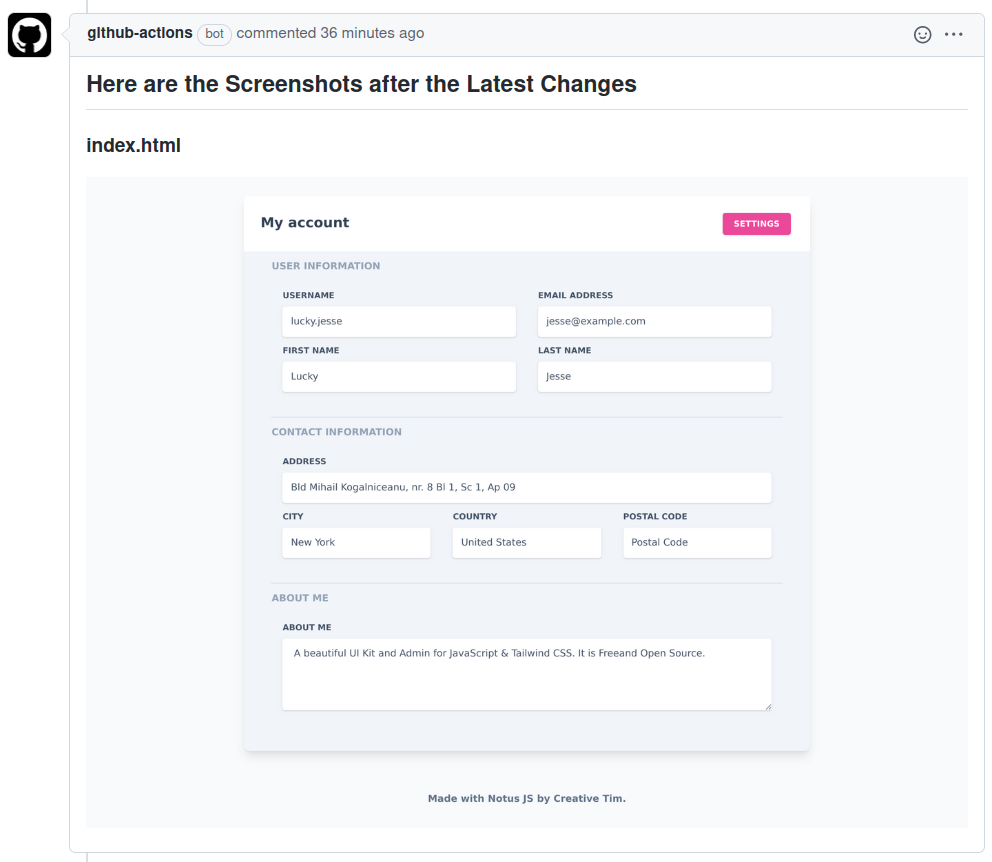
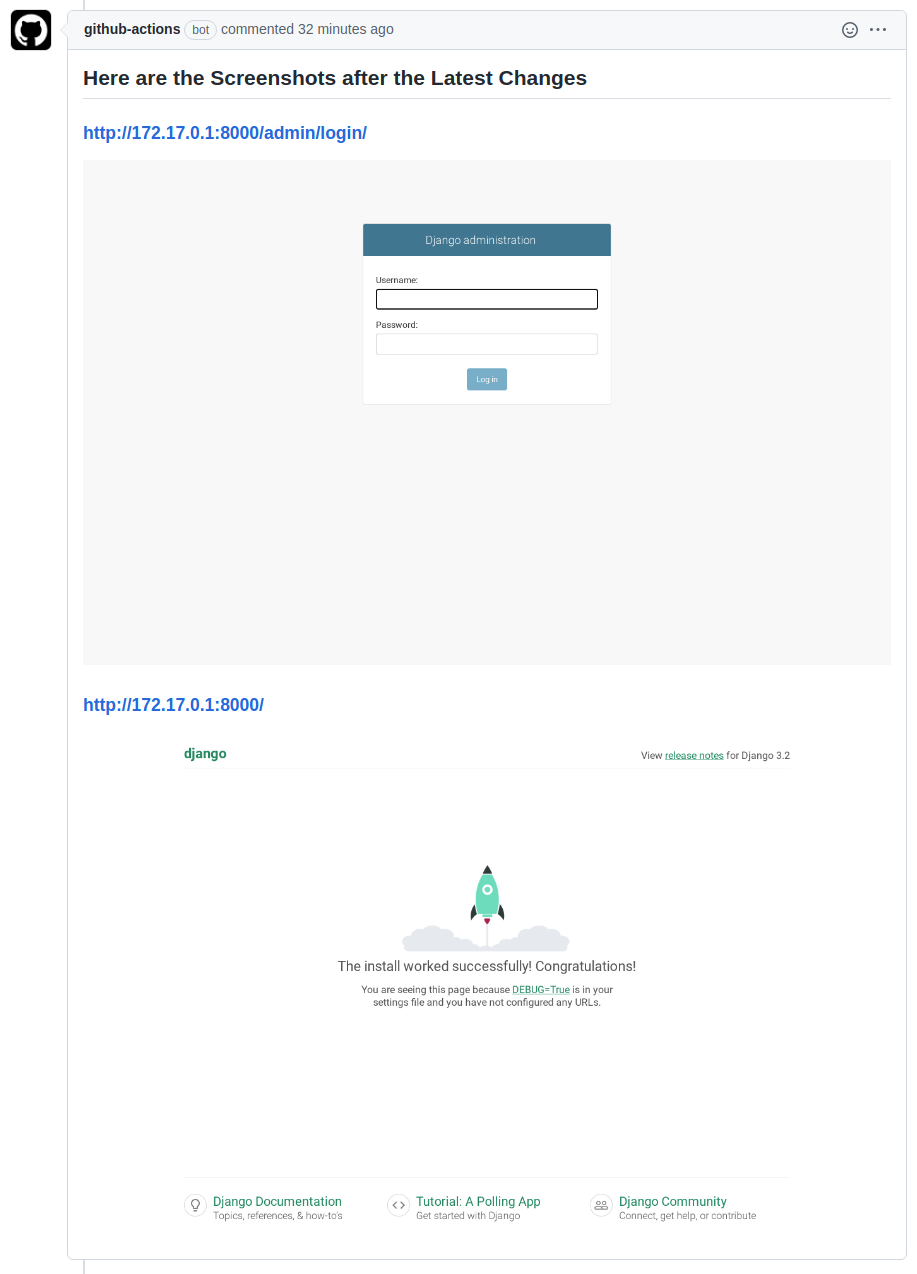
Here are some comments created by this action on the Example Project:
License
The code in this project is released under the GNU GENERAL PUBLIC LICENSE Version 3.
 859 Dec 29, 2022
 725 Jan 3, 2023
 2 Apr 26, 2022
 2 Jan 7, 2022
 6 Aug 26, 2022
 3.7k Dec 27, 2022
 5 Dec 1, 2022

 6 Apr 5, 2022


 15 Dec 06, 2022
 543 Jan 03, 2023
 18 Dec 14, 2022
 14 Dec 09, 2022
 2k Jan 05, 2023
 6 Jan 08, 2023
 4 Aug 29, 2022
 5 Nov 19, 2021
 2.1k Jan 06, 2023
 15 Jun 08, 2022
 8 Aug 07, 2022
 1 Jan 28, 2022
 1 Jan 07, 2022
 4 Jul 26, 2022
 5 Nov 29, 2022
 11 Nov 19, 2022
 8 Aug 16, 2021
 1 Dec 07, 2021