Bringing vtk.js into Dash and Python

Overview

Dash VTK

Dash VTK lets you integrate the vtk.js visualization pipeline directly into your Dash app. It is powered by react-vtk-js.
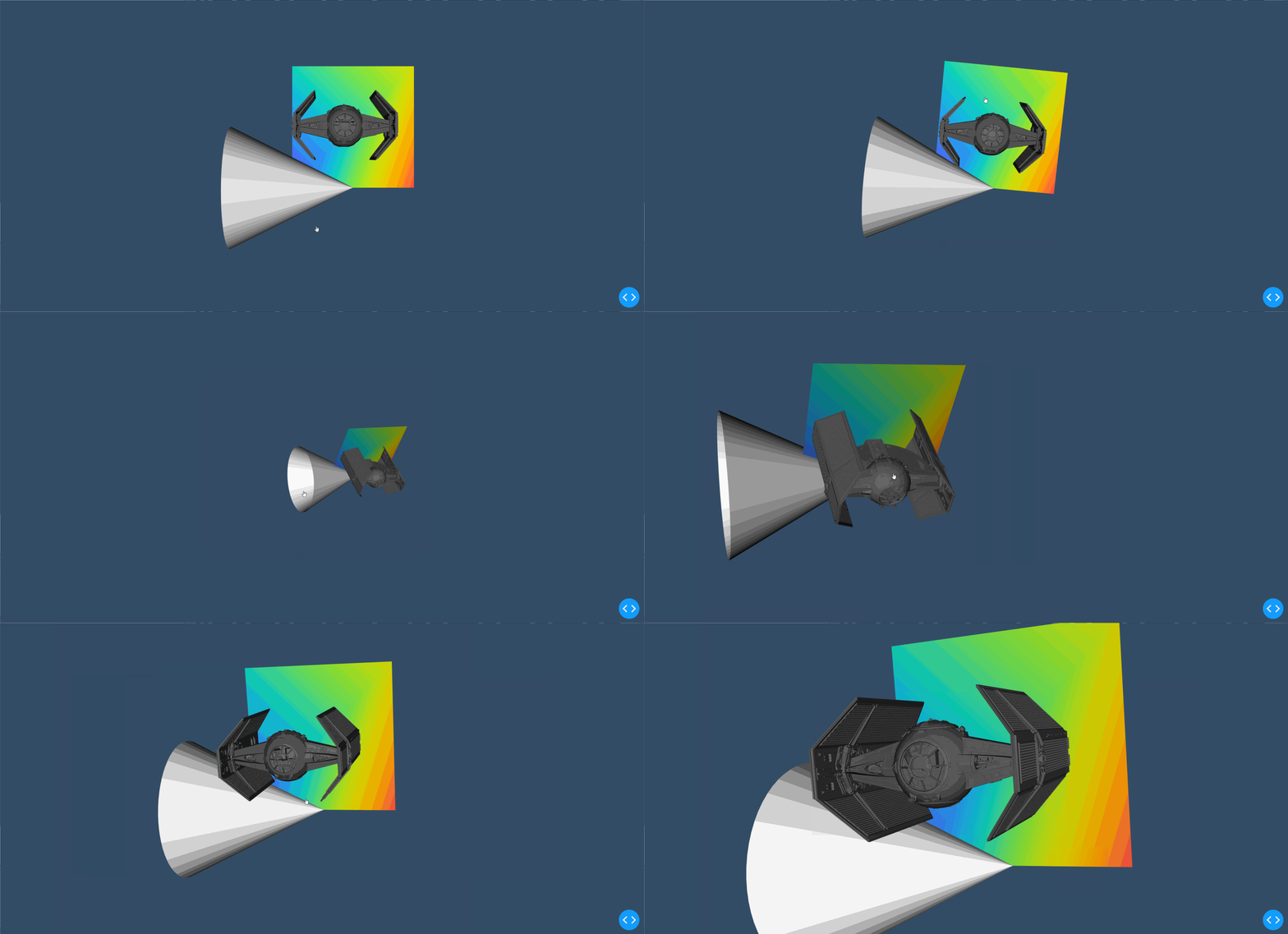
A demo of dash-vtk in action

Getting started

Quickstart (Python)

First, install the library through pip:

pip install dash-vtk

Then, create a file called app.py and add the following example:

import dash
import dash_vtk
import dash_html_components as html

app = dash.Dash(__name__)

app.layout = html.Div(
    style={"width": "100%", "height": "calc(100vh - 16px)"},
    children=dash_vtk.View([
        dash_vtk.GeometryRepresentation([
            dash_vtk.Algorithm(
                vtkClass="vtkConeSource",
                state={"resolution": 64, "capping": False},
            )
        ]),
    ]),
)

if __name__ == "__main__":
    app.run_server(debug=True)

Now, simply run the app:

python app.py

For a more detailed example, see usage.py.

Quickstart (R)

First, install the package from GitHub (the package is not yet available via CRAN):

remotes::install_github("plotly/dash-vtk")

then, create your component and add it to your layout:

library(dash)
library(dashVtk)
library(dashHtmlComponents)

app <- Dash$new()

app$layout(htmlDiv(
    style = list("width" = "100%", "height" = "calc(100vh - 16px)"),
    children = vtkView(list(
        vtkGeometryRepresentation(
            vtkAlgorithm(
                vtkClass = "vtkConeSource",
                state = list("resolution" = 64, "capping" = FALSE),
            )
        )
    )
)

app$run_server()

Contributing

See docs/CONTRIBUTING.md to learn about:

  • Setting up the environment
  • Coding Style
  • Code quality & design
  • Tests
  • Publishing

Running the demos

First clone the project (replace with the desired demo):

git clone https://github.com/plotly/dash-vtk.git
cd dash-vtk/demos/<name>/

Create a venv and install the requirements:

python -m venv venv
source venv/bin/activate  # for Windows, use venv\Scripts\activate.bat
pip install -e ../../  # IMPORTANT! If you skip you will get the pip version of dash-vtk
pip install -r requirements.txt

Run the demo:

python app.py

Python environments

Depending on your Python environment, you may run into deployment issue related to the vtk version that get pulled in.

Ideally we want a version of vtk equal or newer than 9. When using such version of VTK, dash-vtk won't even try to load the rendering module of VTK and if OpenGL is not available on your system everything will still be fine.

On the other hand, if you are running python-3.6 and/or pip-18 or less and you don't upgrade your pip version, you will only be able to use vtk<=8.1.2. With vtk 8, there is no way to prevent the loading of the GL library which means that you will have to install libGL on your system, or you will run into errors like this:

  File ".../python/lib/python3.6/site-packages/vtkmodules/all.py", line 29, in 
    from .vtkRenderingOpenGL2 import *
ImportError: libGL.so.1: cannot open shared object file: No such file or directory
[2021-02-08 18:36:15 +0000] [10] [INFO] Worker exiting (pid: 10)

or this:

  File ".../python3.7/site-packages/vtk/__init__.py", line 12, in 
    from .vtkOpenGLKit import *
  File ".../python3.7/site-packages/vtk/vtkOpenGLKit.py", line 9, in 
    from vtkOpenGLKitPython import *
ModuleNotFoundError: No module named 'vtkOpenGLKitPython'

Heroku and Dash Enterprise handle it is slightly different because you will have to install libgl1-mesa-glx via some apt files. In the case of Heroku, you will have to use a buildpack and add libgl1-mesa-glx to a Aptfile located in the root of your project. In the case of Dash Enterprise, you do not need to change the buildpack (it is handled automatically) but you will need to add libgl1-mesa-glx to a apt-packages file instead of Aptfile; see this app as an example.

References

You can find the complete API reference in docs/REFERENCES.md for each of the following components:

Demos

Usage for dash_vtk.Algorithm

A demo of the usage-algorithm app

Point Cloud with PyVista

A demo of the pyvista-point-cloud app

Terrain deformation using PyVista and dash-vtk
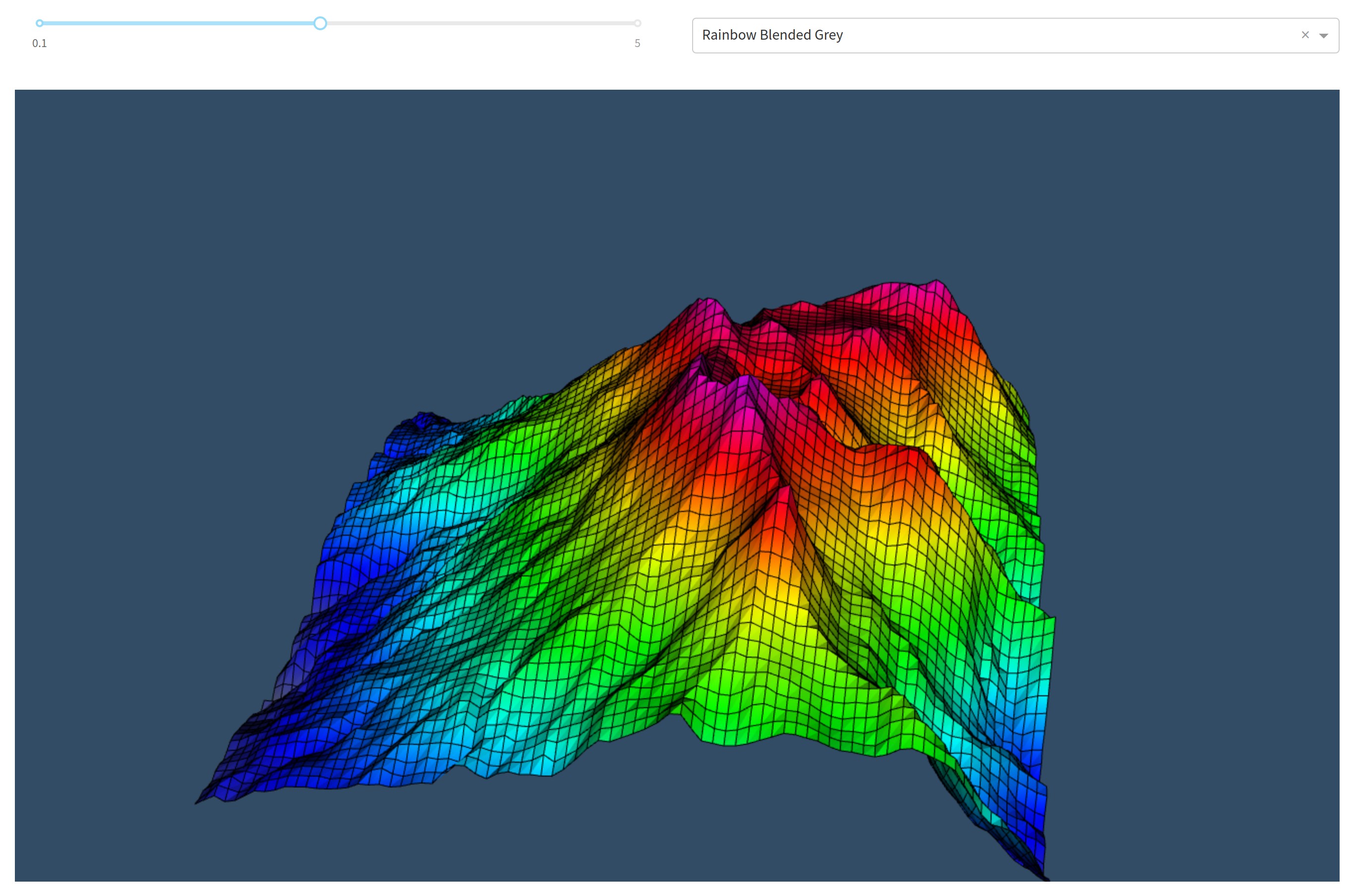
A demo of the pyvista-terrain-following-mesh app

Volume Rendering

A demo of the volume-rendering app

VTK for data processing and dash-vtk for rendering
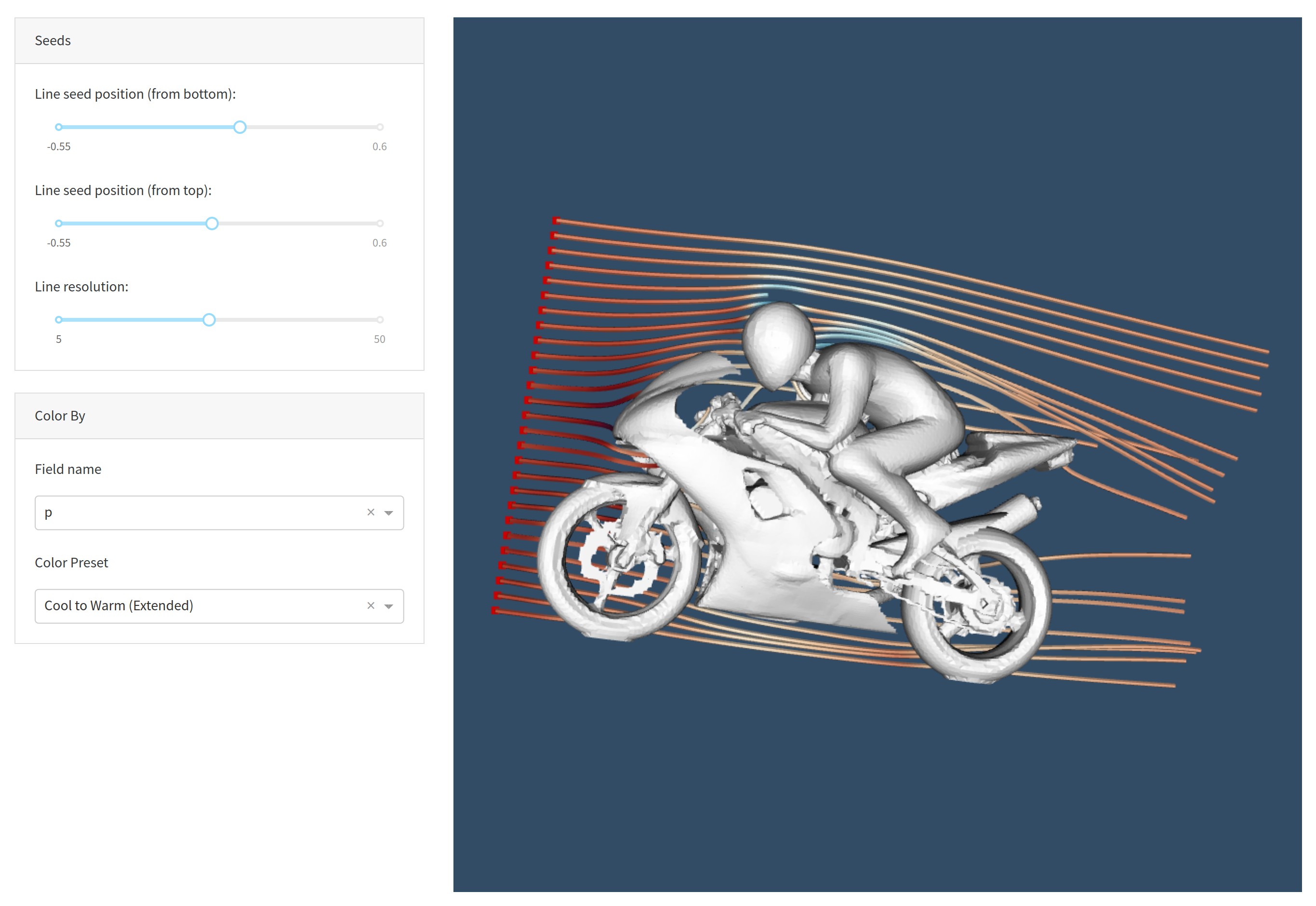
A demo of the usage-vtk-cfd app

Synthetic Volume Rendering

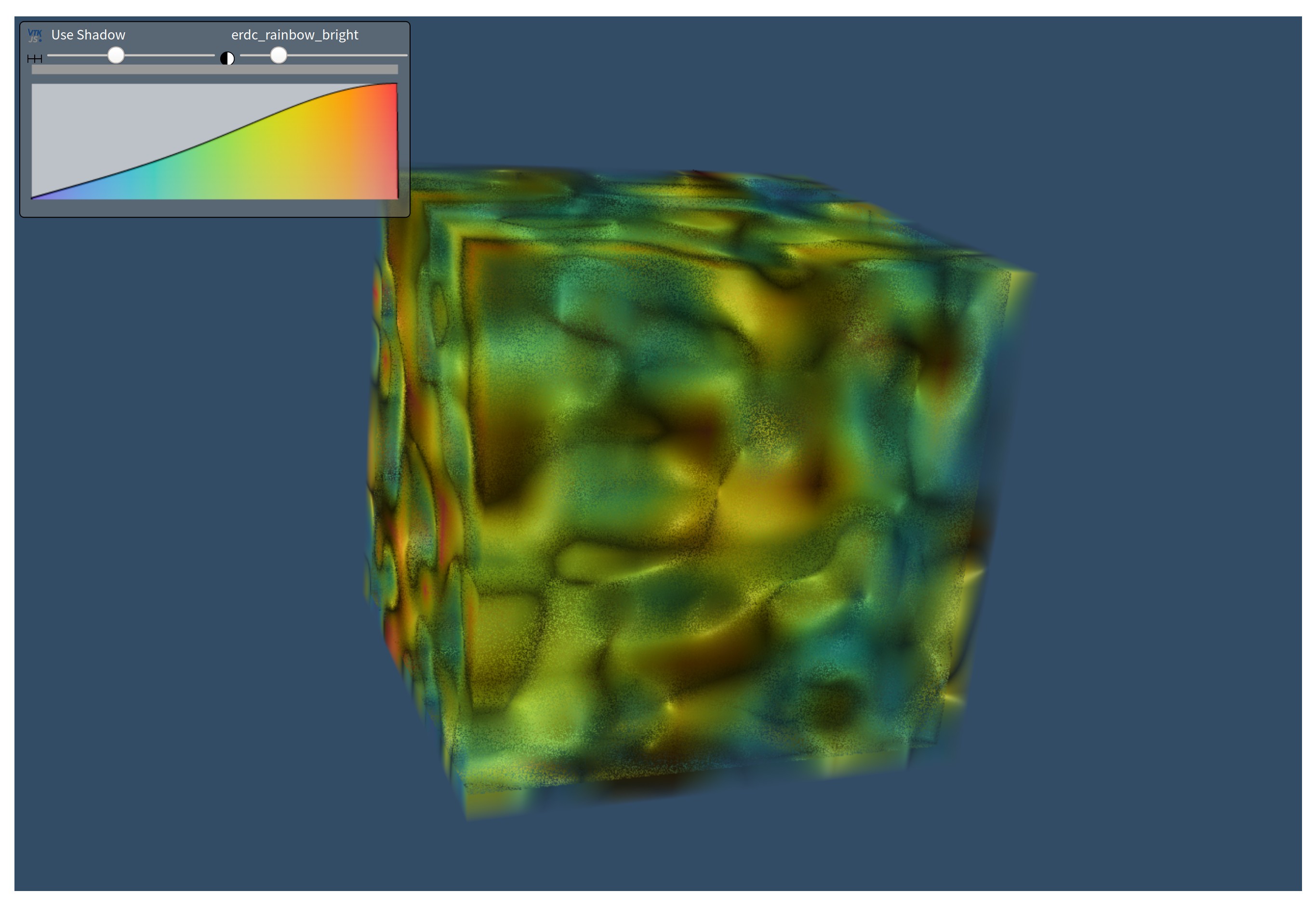
A demo of the synthetic-volume-rendering app

Comments
  • Further improvements to the demos

    Further improvements to the demos

    Here are some improvements i'd like to make to the demos; @jourdain feel free to share your thoughts on them:

    • [ ] CFD: better seed line labels; it's not clear what the first and second sliders mean. I'll think of better labels
    • [ ] Slice Rendering: Remove the 3D volume viewer on the right-side to improve speed and make the app simpler/easier to understand.

    @jourdain You mentioned about updating the sliders on change (instead of on release) for certain cases: image

    Could you remind me which ones you mentioned?

    opened by xhluca 21
  • Refactor dash_vtk.util to import vtkmodules instead of vtk

    Refactor dash_vtk.util to import vtkmodules instead of vtk

    See: https://github.com/plotly/dash-docs/pull/1091

    import vtkmodules avoid importing the libGL library in vtk v9.0.1, as opposed to import vtk which always loads (thus requires) libgl

    About

    Description of changes

    Pre-Merge checklist

    • [ ] The project was correctly built with npm run build.
    • [ ] If there was any conflict, it was solved correctly.
    • [ ] All changes were documented in CHANGELOG.md.
    • [ ] All tests on CircleCI have passed.
    • [ ] All Percy visual changes have been approved.
    • [ ] Two people have :dancer:'d the pull request. You can be one of these people if you are a Dash core contributor.

    Reference Issues

    Closes #[issue number]

    Other comments

    opened by xhluca 20
  • Re-rendering is broken when ImageData remains the same but child changes

    Re-rendering is broken when ImageData remains the same but child changes

    Bug

    I built a set of radio buttons to alternate between different representations (volumes and algorithms). This is done through a callback. When the data (i.e. ImageData) remains the same, but the child PointData changes, dash-vtk will not correctly re-render the new view.

    Here's a demo:

    vtk-bug

    Notice how going random -> progressive doesn't work, but random -> cone or cone -> progressive works. This is because cone uses a Algorithm instead of ImageData, so it would trigger a rerender.

    Code

    Show full code

    import dash_vtk
    import dash
    from dash.dependencies import Input, Output
    import dash_core_components as dcc
    import dash_html_components as html
    import numpy as np
    
    
    def build_vtk_representation(field):
        return dash_vtk.VolumeRepresentation(
            [
                dash_vtk.VolumeController(),
                dash_vtk.ImageData(
                    id="image-data",
                    dimensions=[10, 10, 10],
                    spacing=[1, 1, 1],
                    origin=[0, 0, 0],
                    children=dash_vtk.PointData(
                        dash_vtk.DataArray(registration="setScalars", values=field)
                    ),
                ),
            ]
        )
    
    
    views = [
        build_vtk_representation([np.random.random() for i in range(10 * 10 * 10)]),
        build_vtk_representation(np.linspace(0, 1, num=10 * 10 * 10)),
        dash_vtk.GeometryRepresentation(
            [
                dash_vtk.Algorithm(
                    vtkClass="vtkConeSource", state={"resolution": 64, "capping": False,},
                )
            ]
        ),
    ]
    
    
    app = dash.Dash(__name__)
    server = app.server
    
    
    app.layout = html.Div(
        style={"width": "100%", "height": "calc(90vh - 16px)"},
        children=[
            dcc.RadioItems(
                id="radio-items",
                options=[
                    {"value": i, "label": x}
                    for i, x in enumerate(["random", "progressive", "cone"])
                ],
                value=0,
            ),
            html.Br(),
            dash_vtk.View(id="vtk-view"),
            html.Div(id="output"),
        ],
    )
    
    
    @app.callback(
        Output("vtk-view", "children"),
        Output("vtk-view", "triggerRender"),
        Input("radio-items", "value"),
    )
    def update_vtk_view(value):
        if value is None:
            return dash.no_update
        return views[value], np.random.random()
    
    
    if __name__ == "__main__":
        app.run_server(debug=True)
    

    Here's a snippet:

    def build_vtk_representation(field):
        return dash_vtk.VolumeRepresentation(
            children=[
                dash_vtk.VolumeController(),
                dash_vtk.ImageData(
                    ...,
                    children=dash_vtk.PointData(
                        dash_vtk.DataArray(registration="setScalars", values=field)
                    ),
                ),
            ]
        )
    
    
    views = [
        build_vtk_representation([np.random.random() for i in range(10 * 10 * 10)]),
        build_vtk_representation(np.linspace(0, 1, num=10 * 10 * 10)),
        dash_vtk.GeometryRepresentation(
            [
                dash_vtk.Algorithm(
                    vtkClass="vtkConeSource", state={"resolution": 64, "capping": False,},
                )
            ]
        ),
    ]
    
    app = dash.Dash(__name__)
    server = app.server
    app.layout = ...
    
    @app.callback(
        Output("vtk-view", "children"),
        Output("vtk-view", "triggerRender"),
        Input("radio-items", "value"),
    )
    def update_vtk_view(value):
        if value is None:
            return dash.no_update
        return views[value], np.random.random()
    
    
    opened by xhluca 18
  • Loading mesh in

    Loading mesh in

    I am trying to load a mesh/multiple meshes I created with vedo which is based off vtk. Upon loading into the dash I get a type error for Mesh is not JSON serializable. Any suggestions on how to fix?

    Thanks

    opened by dodointhesnow 17
  • Add rendering tests for the demos and add images to README

    Add rendering tests for the demos and add images to README

    About

    Description of changes

    Pre-Merge checklist

    • [ ] The project was correctly built with npm run build.
    • [ ] If there was any conflict, it was solved correctly.
    • [ ] All changes were documented in CHANGELOG.md.
    • [ ] All tests on CircleCI have passed.
    • [ ] All Percy visual changes have been approved.
    • [ ] Two people have :dancer:'d the pull request. You can be one of these people if you are a Dash core contributor.

    Reference Issues

    Closes #[issue number]

    Other comments

    opened by xhluca 17
  • Docs Review

    Docs Review

    Wow the user guide is really great! Just minor details:

    • Some parts include react code (see example). Should we modify them to be Dash code?
    • I'm not sure whether it's possible to import those modules since they start with numbers. Will think about it but might need to rename them if I can't use importlib; would that be ok?
    opened by xhluca 12
  • Would it be possible to set camera parameters?

    Would it be possible to set camera parameters?

    I'd like to set the camera location, depth of view, etc. via code, but I cannot find any way to do this. Is it possible to add this as a feature? Is there a workaround I could use in the meantime?

    Thanks, and thanks for all the great work!

    opened by pythoro 11
  • Color legend

    Color legend

    Hello everyone!

    I'm building a web app using dash_vtk in python to visualize CFD data, so for now 3D surfaces coloured based on some parameter value like pressure. So far everything's good, but can't activate the colour legend and I saw no example with it, so I'm starting to question if it is possible at this point. To be clear, I'd like to be able to associate a value to the colours I'm seeing. I saw the example with the F1 car where values are displayed when hovering, but I'd prefer a simple scale. Is it possible?

    Thank you, Franco

    opened by francolovato 8
  • Implicit triggerRender

    Implicit triggerRender

    I feel the triggerRender is a bit clunky and makes it impossible to have more than one callback that updates a given view. how much effort would it be to make that implicit?

    EDIT: Ok so it already works with the trigger render, so let's remove it from the demos:

    • [ ] usage-vtk-cfd
    • [ ] slice-rendering
    • [ ]
    opened by xhluca 8
  • Try to use suspense/lazy

    Try to use suspense/lazy

    What was tried

    Over the weekend I was able to incorporate React.lazy and React.Suspense for each of the components. To do that, I created some modules:

    • src/lib/ReactVTK.js: This module simply imports and export the react-vtk-js library, which is needed in order to use the webpackChunkName functionality added in webpack and create a async-ReactVTK.js file.
    • src/lib/AsyncReactVTK.js: This module contains a AsyncComponentBuilder function. It creates an async function that returns a module-like object, which we can then pass to React.lazy without causing errors. Later on (inside the components definition), it gets rendered correctly by React.Suspense (in theory only). This is the component builder function I used: https://github.com/plotly/dash-vtk/blob/4cd17de0abdd967b4980ba74bde0259ca949a59f/src/lib/AsyncReactVTK.js#L5-L15 (I'm happy to hop on a call to explain how I got to this).

    I also brought some modifications to the files:

    • webpack.config.js: Some changes in lazy-loading (see https://github.com/plotly/dash-vtk/pull/29), no change here. Mostly code for chunk splitting in order to allow async.
    • package.json: Some changes in lazy-loading (see https://github.com/plotly/dash-vtk/pull/29), no change here. Added a few packages that were necessary to use the new webpack optimization.
    • src/lib/components: Each component here was updated such that the import came from AsyncReactVTK.js instead of react-vtk-js, and also the component outputted is wrapped with a React.Suspense.
    • dash_vtk/__init__.py: The following elements were added to _js_dist in order to load the async fragment:
    {
        'relative_package_path': 'async-ReactVTK.js',
        'external_url': 'https://unpkg.com/{0}@{2}/{1}/async-ReactVTK.js'.format(package_name, __name__, __version__),
        'namespace': package_name,
        'async': True
    },
    {
        'relative_package_path': 'async-ReactVTK.js.map',
        'external_url': 'https://unpkg.com/{0}@{2}/{1}/async-ReactVTK.js.map'.format(package_name, __name__, __version__),
        'namespace': package_name,
        'dynamic': True
    }
    

    What worked

    Rendering the simplest possible app, i.e. an empty dash_vtk.View worked with this new approach; no error was found in the console. Moreover, I tried with usage.py, which yielded this result: image

    So it partially worked in the sense that the cone and the starwars obj were rendered correctly, but not the colored pane in the back. Moreover, very simple demos like the synthetic-volume-rendering and t05_reader seemed to work as well. Additionally, some apps seem to load after a few seconds, but the intiial view is completely broken (you have to zoom out and drag it around to have the correct view; this didn't happen before): vtk-bug

    What didn't work

    Most of the apps (except maybe two) have problems in some way or another. In many cases, the app is completely broken and can't be used at all. Here are two examples of issues with the apps:

    • [ ] slice-rendering: Getting this error in the console:
      Uncaught TypeError: Failed to execute 'bindTexture' on 'WebGL2RenderingContext': parameter 2 is not of type 'WebGLTexture'.
      
    • [ ] volume-rendering: Getting this error in the console:
      dash_renderer.v1_9_1m1618031064.dev.js:100499 TypeError: Failed to execute 'bindTexture' on 'WebGL2RenderingContext': parameter 2 is not of type 'WebGLTexture'.
       at Object.Ln.e.bind (async-ReactVTK.v0_0_7m1618261439.js:2)
       at Object.Ln.e.activate (async-ReactVTK.v0_0_7m1618261439.js:2)
       at Object.Io.e.renderPieceDraw (async-ReactVTK.v0_0_7m1618261439.js:2)
       at Object.Io.e.renderPiece (async-ReactVTK.v0_0_7m1618261439.js:2)
       at Io.e.volumePass (async-ReactVTK.v0_0_7m1618261439.js:2)
       at Object.e.apply (async-ReactVTK.v0_0_7m1618261439.js:2)
       at Object.e.traverse (async-ReactVTK.v0_0_7m1618261439.js:2)
       at e.traverseVolumePass (async-ReactVTK.v0_0_7m1618261439.js:2)
       at Object.e.traverse (async-ReactVTK.v0_0_7m1618261439.js:2)
       at Object.e.traverse (async-ReactVTK.v0_0_7m1618261439.js:2)
      

    Not actual async loading

    ~~Moreover, I also noticed that when I import dash_vtk inside an app that doesn't use dash_vtk at all, it will still load async-ReactVTK.js, which is the new file with 500kb:~~ image

    ~~So although we have correctly implemented async, something inside the react-vtk-js initialization code forces this file to still be loaded; unfortunately i do not have insight on that.~~

    UPDATE: In f6b8c8a2fb26063d3b5e707c4ce787d507bb4fa4, I moved the the import('./ReactVTK') call inside the builder function and that seemed to have resolved that issue. Furthermore, it seems like the colored pane in usage.py works correctly now.

    Next step

    So far, @jdamiba and I successfully achieved the suggested approach from a React perspective by using React.lazy and React.Suspense; we also used the same approach as dash-core-components for loading the components (install extra packages in package.json, add custom webpack commands, use webpackChunkName in the import calls, etc), albeit with minor modifications through the AsyncComponentBuilder function, which I highlight doubt is the cause of the problems here.

    As a next step, it would be amazing if @jourdain takes a look at this branch (specifically, the new and modified files in src/lib) and decide whether more development will be needed (in react-vtk-js or in dash-vtk's JS code) in order to achieve the async functionality that we added in this branch.

    Furthermore, I think it'd be beneficial if @alexcjohnson @Marc-Andre-Rivet reviews our tentative approach to determine if there's a simple fix that @jdamiba and I missed, or if we are doing something wrong.

    opened by xhluca 8
  • Component only updated by dash callbacks when we click them

    Component only updated by dash callbacks when we click them

    In demo page's SourceViewer demo, we can see that the component is updated every time the slider is dragged:

    react-vtk

    However, the same demo in Dash doesn't automatically update the component when the callback is fired by the slider; instead, you have to click on the canvas:

    dash-vtk

    Any idea why this might happen?

    opened by xhluca 8
  • Mesh not correctly plotted

    Mesh not correctly plotted

    Description

    Attached mesh is not correctly plotted with Dash VTK. No issue with ParaView or PyVista. No problem with simpler meshes with Dash VTK.

    mesh.zip

    Steps/Code to Reproduce

    import dash
    import dash_vtk
    from dash_vtk.utils import to_mesh_state
    import pyvista
    
    mesh = pyvista.read("mesh.dat")
    mesh_state = to_mesh_state(mesh)
    
    app = dash.Dash(__name__)
    app.layout = dash.html.Div(
        dash_vtk.View(
            dash_vtk.GeometryRepresentation(
                dash_vtk.Mesh(state=mesh_state),
                property={"edgeVisibility": True},
            ),
            cameraPosition=[1005.0, -5000.0, -1500.0],
            cameraViewUp=[0.0, 0.0, 1.0],
        ),
        style={"width": "600px", "height": "600px"},
    )
    
    if __name__ == "__main__":
        app.run_server(debug=True)
    

    Expected Results

    expected

    Actual Results

    output

    Versions

    dash == 2.0.0 dash_vtk == 0.0.9

    opened by keurfonluu 4
  • JS `formula` prop available in Python

    JS `formula` prop available in Python

    Description

    formula prop available in Python, though JS formulae are unusable from Python.

    Steps/Code to Reproduce

    In the python REPL run:

    help (dash_vtk.Calculator)
    

    We see there is a prop formula available, but JS formulae are unusable from Python

    Expected Results

    Only have props that can be used in Python

    Actual Results

    formula is available.

    Versions

    Dash 2.0.0 :3: UserWarning: The dash_html_components package is deprecated. Please replace import dash_html_components as html with from dash import html import dash_html_components; print("Dash Core Components", dash_html_components.version) Dash Core Components 2.0.0 :4: UserWarning: The dash_core_components package is deprecated. Please replace import dash_core_components as dcc with from dash import dcc import dash_core_components; print("Dash HTML Components", dash_core_components.version) Dash HTML Components 2.0.0 Dash VTK 0.0.9

    @alexcjohnson

    opened by LiamConnors 1
  • Unable to reproduce R example

    Unable to reproduce R example

    Description

    I am unable to reproduce the README example of R.

    Code to Reproduce

    The original R code provided in README have some ending ")" missing. I added them and the id property in vtkView as well but the rest remains the same.

    library(dash)
    library(dashVtk)
    library(dashHtmlComponents)
    
    app <- Dash$new()
    
    app$layout(
        htmlDiv(id = "outerDiv",
            style = list("width" = "100%", "height" = "calc(100vh - 16px)"),
            children = vtkView(
                id = "vtkview",
                list(
                    vtkGeometryRepresentation(
                        vtkAlgorithm(
                            vtkClass = "vtkConeSource",
                            state = list("resolution" = 64, "capping" = FALSE),
                        )
                    )
                )
            )
        )
    )
    
    app$run_server()
    

    Results

    The browser (either chrome or safari) opens the app exposed on localhost but the page is entirely blank, not showing anything. In fact, the R console shows the following warning: warning: The dependency 'async-reactvtk.js' could not be loaded; the file was not found. from NULL

    I'm wondering if the above dependency was not added to the package.

    Versions

    > sapply(c("dashVtk", "dash", "dashHtmlComponents"), packageVersion, USE.NAMES = T)
    $dashVtk
    [1] '0.0.9'
    $dash
    [1] '0.5.0'
    $dashHtmlComponents
    [1] '1.0.3'
    
    > R.Version()$platform
    [1] "x86_64-apple-darwin15.6.0"
    > R.Version()$version.string
    [1] "R version 3.6.0 (2019-04-26)"
    

    Thanks for your attention and for providing this integration between Dash and VTK.

    opened by viniciuszendron 0
  • Pyvista issue with volume data representation

    Pyvista issue with volume data representation

    See readme https://github.com/lizzjs/dash-vtk

    @jourdain this seems out of my domain, do you think this is an easy fix or something that can be added to docs?

    opened by xhluca 10
  • colorMapPreset and colorDataRange do not worked in SliceRepresentation

    colorMapPreset and colorDataRange do not worked in SliceRepresentation

    For VolumeRepresentation, I use some codes like: dash_vtk.VolumeRepresentation( id='vol', colorMapPreset='jet', colorDataRange=[0,255], children=..... ),

    it works fine~

    but in SliceRepresentation, I use: dash_vtk.SliceRepresentation( id="slice-x", xSlice=128, colorMapPreset='jet', colorDataRange=[120,255], children=dash_vtk.ShareDataSet(), ),

    nothing happened....it is still in grayscale on the slicer why?

    opened by lascqy 2
  • Allow user-defined colormaps?

    Allow user-defined colormaps?

    Hi,

    First of all thank you for the awesome work on interfacing dash and VTK! Coming from the Python world, I was really impressed how smoothly I could move from my usual Python vtk tools to dash_vtk (thanks for that utils module ;) )

    I was wondering if there could be an easy way for users to introduce their own custom colormap presets in a Representation, something I can imagine a lot of people would want to do at some point... (No matter how many options are available, I guess there will always be THAT crucial one missing...)

    Would it be possible to go beyond the provided list, or is it a limitation that comes already from vtk.js? I'm thinking of a simple syntax reflecting the presets definition like this one:

    view = dash_vtk.View(
        dash_vtk.GeometryRepresentation(
            children=[...],
            colorMapPreset= {
                'ColorSpace' : 'RGB',
                'Name' : 'gray',
                'RGBPoints' : [0, 0, 0, 0,
                               1, 1, 1, 1]
            }
        )
    )
    

    But there might be other options... I was expecting to have such an option through the mapper argument of the Representation, being used to do a mapper.setLookupTable, but I failed to find out how exactly the colormap information is passed to the mapper...

    Thank you!

    opened by gcerutti 2
Releases(v0.0.9)
  • v0.0.9(Apr 16, 2021)

  • v0.0.8(Apr 15, 2021)

    Changed

    • react-vtk-js was updated from 1.2.1 to 1.5.0. See diffs
    • dash-vtk is now loaded asynchronously (see https://github.com/plotly/dash-vtk/pull/29). It will only be loaded when one or more components is called/displayed; this helps optimize for multi-page apps and use cases where dash-vtk is dynamically loaded.
    Source code(tar.gz)
    Source code(zip)
  • v0.0.7(Apr 7, 2021)

  • v0.0.6(Feb 22, 2021)

    Fixed

    • fix(react-vtk-js): fix dynamic handling of DataArray update

    Changed

    • update to react-vtk-js 1.1.4
    • doc(View): Update props to include style/className
    Source code(tar.gz)
    Source code(zip)
  • v0.0.5(Feb 15, 2021)

    Added

    • 3 new demos using dicom (#24)
    • GlyphRepresentation

    Changed

    • Added vtk to setup.py's install requires.

    Fixed

    • VolumeDataRepresentation typo
    • GIF URL in README.md
    Source code(tar.gz)
    Source code(zip)
  • v0.0.4(Feb 9, 2021)

    Changed

    • Added section about deployment in README.md
    • dash_vtk.utils: Will try to import vtkmodules (>=9.0.1) before falling back to vtk (<=8.1.2) to avoid requiring libGL.
    Source code(tar.gz)
    Source code(zip)
  • v0.0.3(Feb 4, 2021)

    Changed

    • Demos: removed headers, updated layout sizes, remove unused files
    • demos/usage-vtk-cfd: update viz on drag
    • demos/pyvista-point-cloud: faster loading by lowering sampling
    • demos/slice-rendering: faster loading by removing volume rendering
    • README.md: Change relative links to URLs
    • docs/CONTRIBUTING.md (commit): Various clarification and improvements

    Fixed

    • Simplified imports in dash_vtk.utils.vtk to only load necessary modules from vtk. This avoids libGL.so.1 since server side rendering is not needed.
    Source code(tar.gz)
    Source code(zip)
  • v0.0.2(Jan 29, 2021)

    Added

    • PyPi description auto-generated from README.md

    Changed

    • Use package.json's files instead of npmignore
    • Change order of instructions in docs/CONTRIBUTING.md

    Fixed

    • Update setup.py to include utils directory when upload to PyPi.
    Source code(tar.gz)
    Source code(zip)
  • v0.0.1(Jan 29, 2021)

    This is the initial release of the dash-vtk library. This version might not be stable yet and there might be breaking changes in subsequent releases. See docs/REFERENCES.md for the API documentation, and README.md for more details about this library.

    Source code(tar.gz)
    Source code(zip)
Owner
Plotly
Plotly
PSD (Photoshop, Krita, Gimp...) -> Godot.

limage v0.2.2 Features Getting Started Tags Settings Todo Customizer Changes Solutions WARNING: Requires Python to be installed PSD (Photoshop, Krita,

21 Nov 10, 2022
AutoGiphyMovie lets you search giphy for gifs, converts them to videos, attach a soundtrack and stitches it all together into a movie!

AutoGiphyMovie lets you search giphy for gifs, converts them to videos, attach a soundtrack and stitches it all together into a movie!

Satya Mohapatra 18 Nov 13, 2022
Program for analyzing shadows from Cassini images

Moons: An Analysis Module for Vicar Files General This packages/program was created for my bachelor's thesis for the Astronomy department at Universit

Joni 1 Jul 16, 2021
A quick and dirty QT Statusbar implementation for grabbing GIFs from Tenor, since there is no offical or unofficial one I found. This was intended for use under Linux, however it was also functional enough on MacOS.

Statusbar-TenorGIF App for Linux A quick and dirty QT Statusbar implementation for grabbing GIFs from Tenor, since there is no offical one and I didnt

Luigi DaVinci 1 Nov 01, 2021
PyGram Instagram-like image filters.

PyGram Instagram-like image filters. Usage First, import the client: from filters import * Instanciate a filter and apply it: f = Nashville("image.jp

Ajay Kumar Nagaraj 102 Feb 21, 2022
With this simple py script you will be able to get all the .png from a folder and generate a yml for Oraxen

Oraxen-item-to-yml With this simple py script you will be able to get all the .png from a folder and generate a yml for Oraxen How to use Install the

Akex 1 Dec 29, 2021
Dynamic image server for web and print

Quru Image Server - dynamic imaging for web and print QIS is a high performance web server for creating and delivering dynamic images. It is ideal for

Quru 84 Jan 03, 2023
A collection of python scripts which help you programatically create PNGs or GIFs

A collection of python scripts which help you programatically create PNGs or GIFs and their Metadata in bulk with custom rarity rates, upload them to OpenSea & list them for sale.

Tom 30 Dec 24, 2022
Blue noise image stippling in Processing (requires GPU)

Blue noise image stippling in Processing (requires GPU)

Mike Wong 141 Oct 09, 2022
Craft PNG files that appear completely different in Apple software

Ambiguous PNG Packer Craft PNG files that appear completely different in Apple software

David Buchanan 1k Dec 29, 2022
QR code python application which can read(decode) and generate(encode) QR codes.

QR Code Application This is a basic QR Code application. Using this application you can generate QR code for you text/links. Using this application yo

Atharva Parkhe 1 Aug 09, 2022
Sombra is simple Raytracer written in pure Python.

Sombra Sombra is simple Raytracer written in pure Python. It's main purpose is to help understand how raytracing works with a clean code. If you are l

Hernaldo Jesus Henriquez Nuñez 10 Jul 16, 2022
Maze generator with most popular shapes - hexagon, triangle, square

Maze-Generator Maze generator with most popular shapes - hexagon, triangle, square (sqaure not implemented yet): Theory: Planar Graph https://en.wikip

Kacper Plesiak 2 Dec 28, 2021
Docbarcodes extracts 1D and 2D barcodes from scanned PDF documents or images. It can be used to automate extraction and processing of all kind of documents.

Intro Barcodes are being used in many documents or forms to enable machine reading capabilities and reduce manual processing effort. Simple 1D barcode

Arlind Nocaj 3 Jun 18, 2022
Image Processing HighPass Filter With Python

Image_Processing_HighPassFilter High Pass Filter take the high frequency and ignore the low frequency High Pass Filter can be use to sharpening an ima

Felix Pratamasan 1 Dec 27, 2021
🖼️ Draw Images or GIFs in your terminal

Drawitor Draw Images/GIFs in your terminal. Install pip install drawitor CLI Tool drawitor cat_dancing.gif Library The library is written in a simple

Eliaz Bobadilla 7 Dec 15, 2022
GIMP script to export bitmap as GRAPHICS 4 file (aka SCREEN 5)

gimpfu-msx-gr4.py GIMP script to export bitmap as GRAPHICS 4 file (aka SCREEN 5). GRAPHICS 4 specs are: 256x212 (or 256x192); 16 color palette (from 5

Pedro de Medeiros 4 Oct 17, 2022
Python QR Code image generator

Pure python QR Code generator Generate QR codes. For a standard install (which will include pillow for generating images), run: pip install qrcode[pil

Lincoln Loop 3.5k Dec 31, 2022
thumbor is an open-source photo thumbnail service by globo.com

Survey If you use thumbor, please take 1 minute and answer this survey? It's only 2 questions and one is multiple choice!!! thumbor is a smart imaging

Thumbor (by @globocom) 9.3k Dec 31, 2022
Imutils - A series of convenience functions to make basic image processing operations such as translation, rotation, resizing, skeletonization, and displaying Matplotlib images easier with OpenCV and Python.

imutils A series of convenience functions to make basic image processing functions such as translation, rotation, resizing, skeletonization, and displ

PyImageSearch 4.3k Jan 01, 2023