轻量级公式 OCR 小工具:一键识别各类公式图片,并转换为 LaTeX 格式

Overview

QC-Formula | 青尘公式 OCR

介绍
0_QCFormula.png

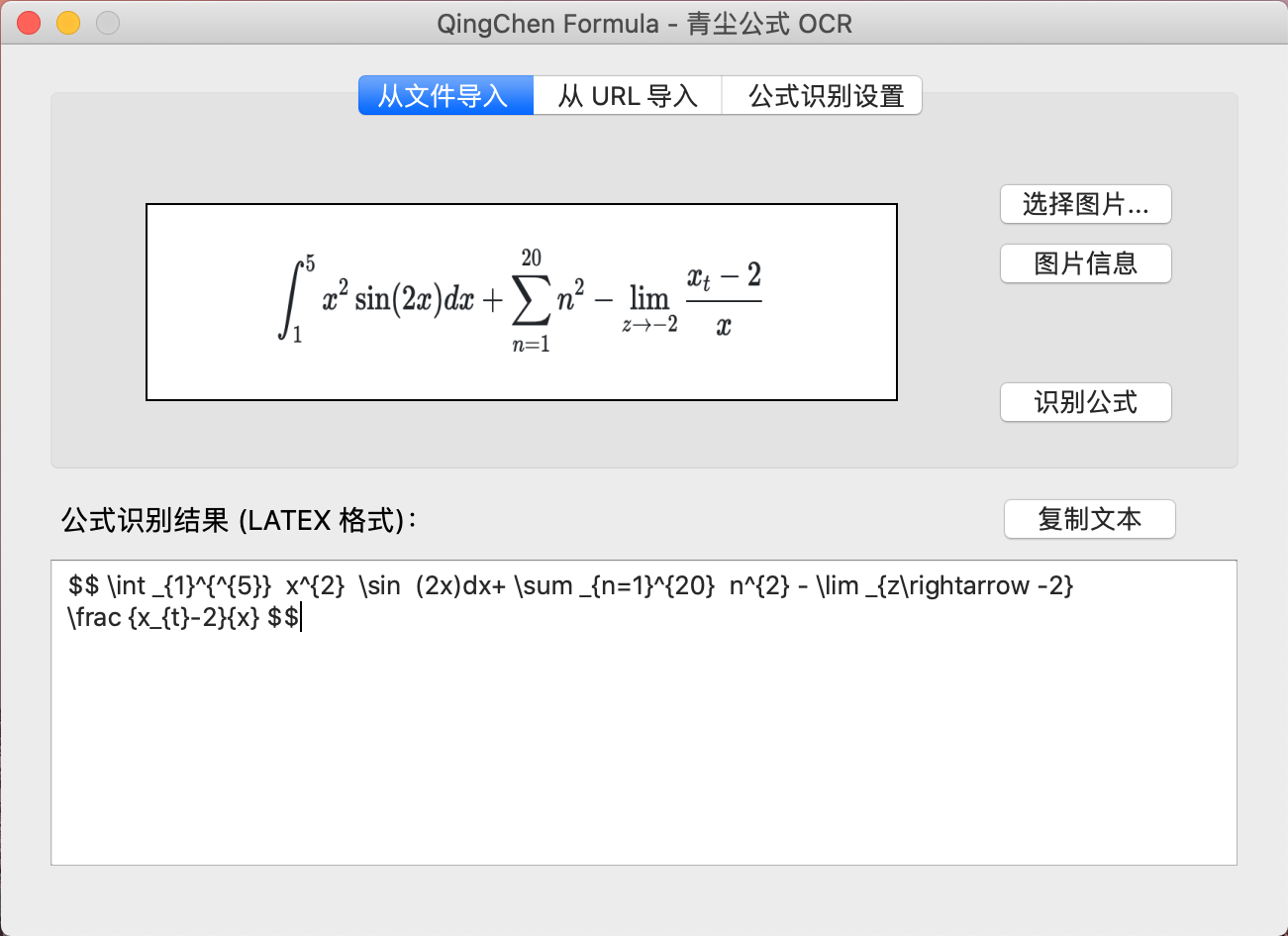
轻量级开源公式 OCR 小工具:一键识别公式图片,并转换为 LaTeX 格式。

  • 支持从 电脑本地 导入公式图片;(后续版本将支持直接从网页导入图片)
  • 公式图片支持 .png / .jpg / .bmp,大小为 4M 以内均可;
  • 支持印刷体手写体,前者识别效果更佳。

软件下载地址:https://github.com/QingchenWait/QC-Formula/releases

1 软件架构

  • 软件基于 Python 3.7 开发,界面基于 PyQt 5,项目 完全开源
  • 软件在 macOS 10.15.1 、Windows 10 测试通过,Linux 平台用户亦可自行编译。

2 使用教程

2.1 获取 API(必需)

本软件调用了 讯飞 的 API(后续有望增加更多源,以提高准确率),目前的免费额度为 500次 / 天,可以满足个人用户的使用需求。

在进行识别前,需要先自行申请 API 额度,然后在软件的 设置 页面,填写获得的 API。

API 的获取方法如下:

  1. 进入讯飞开放平台注册页面,注册一个新的账号;

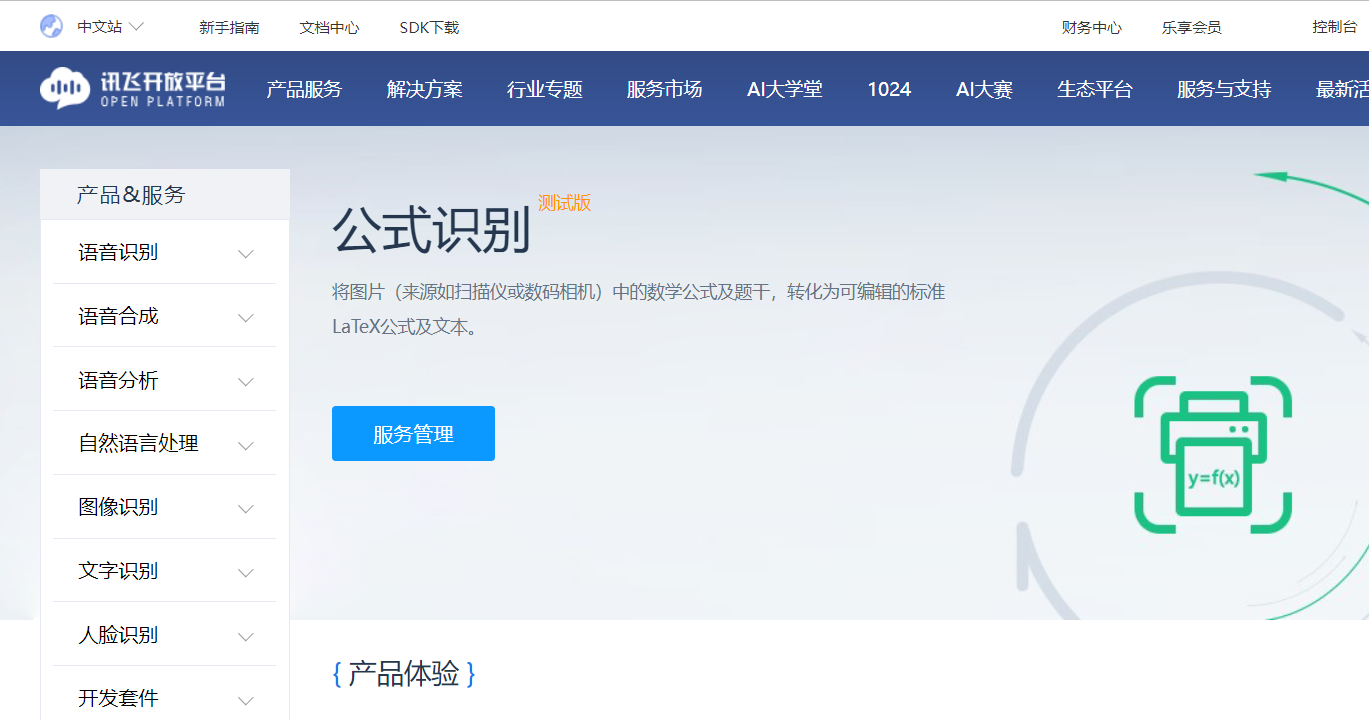
  2. 进入公式识别业务页面,可以在首页顶栏的 “产品服务 - 文字识别 - 公式识别” 中找到;

    1_mainpage.png
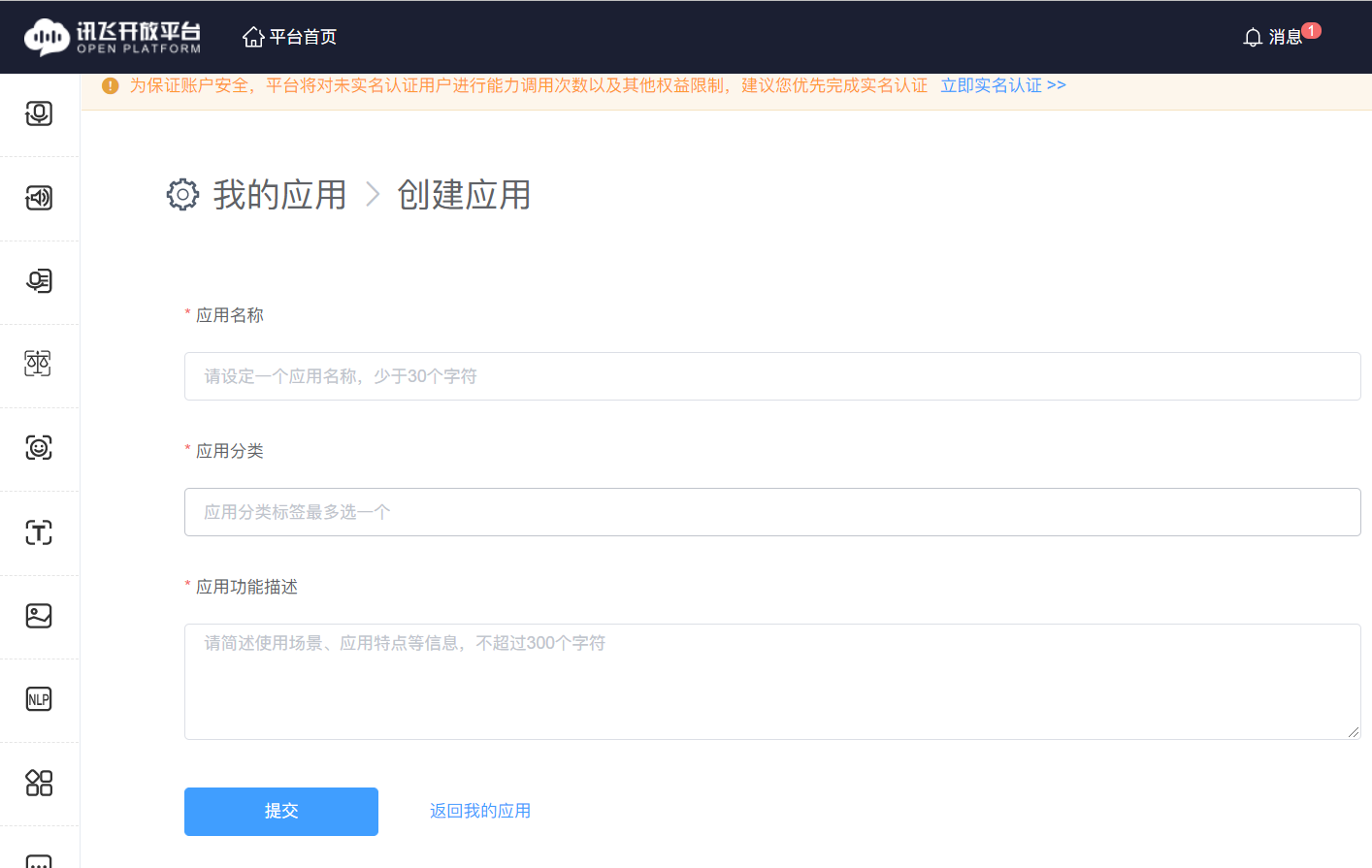
  3. 点击 “服务管理”,会提示创建一个应用(如果之前没有账号的话),界面如下图所示。

    依次填写 “应用名称”、“应用分类” 与 “应用功能描述” 项,可以按自己喜好任意填写。

    2_CreateAPP.png
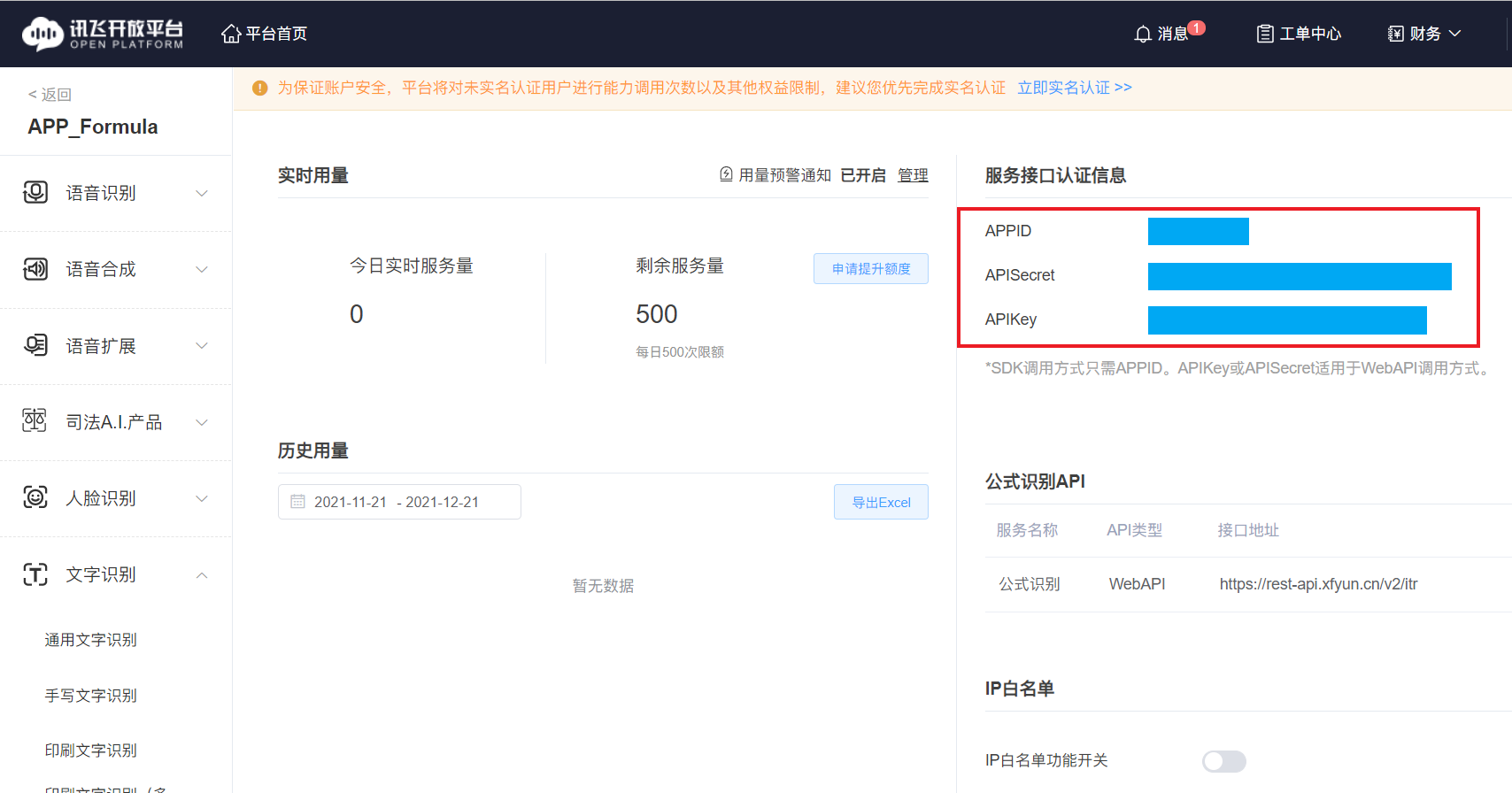
  4. 点击 “提交” ,即可进入服务管理页面,如下图所示。

    右侧的 APPIDAPISecretAPIKey 三项,即是我们需要的 API 值。

    3_APIInfo_B.png

2.2 将获取的 API 填入软件

  • 进入软件,点击 设置 页面,可以看到如下图所示的界面。

  • 将获取到的 APPIDAPISecretAPIKey 三项,分别填入对应的位置,然后点击 确定

至此,软件已经配置成功!可以选择需要的公式,进行识别了!

3 开发说明

3.1 软件需求

  • Python IDE 及环境:PyCharm Community 2020.2 + Python 3.7

    • 建议新建项目及 venv 虚拟环境进行开发。
    • 注意:在上述开发环境中,较高的 pip 版本似乎会导致在 PyCharm 中添加包失败。如果出现了同样的错误,请使用命令行将 pip 版本手动降级至 20.2.4 及以下,或尝试使用最新版本的 PyCharm。
  • GUI 编辑工具:PyQt5

    • 安装 Qt Designer,随后在 对应的 PyCharm 工程中配置 External Tools:Qt Designer 、 PyUIC 与 PyRcc。

    • 可参照下列教程进行配置:

      PyCharm 安装 PyQt5 及其工具(Qt Designer、PyUIC、PyRcc)详细教程

    • 若不需要使用 Qt Designer 进行可视化开发,或不打算对界面 GUI 进行修改,可以不安装 pyqt5-tools 包,在配置 External Tools 的过程中也不需要配置 Qt Designer 与 PyUIC 项。

3.2 文件树

  • /Examples :存放示例图片。
  • main_v104.py:软件主程序。
    • 此文件调用了 Init_Window_v104.pyOCR_iFLY_v104.py 中定义的类。
  • Init_Window_v104.py:PyQt GUI 控件定义及绘制源码,使用 PyUIC 生成。
  • Init_Window_v104.ui:Qt 窗口样式文件,可使用 Qt Designer 打开及编辑。
  • OCR_iFLY_v104.py:定义公式识别相关后端函数(讯飞接口)。
  • config.ini:配置文件,存放公式图片路径及 API 参数。
  • requirements.txt:程序的依赖项列表。

3.3 依赖配置

  • 程序的第三方依赖项已经包含在根目录的 requirements.txt 文档中,使用 pipreqs 生成。

  • 除此之外,还包含一个使用 pip freeze 命令生成的 requirements_all.txt 文档,包含此程序所需的所有依赖包。

    可以根据需求,选用以上两个文档中的一个。

  • 文档的使用方式:

    在命令行或使用 PyCharm 建立的虚拟环境中,使用以下命令:pip install -r requirements.txt

3.4 调试方法

  • 在 PyCharm 等 IDE 中,使用 requirements.txt 安装好相关依赖,随后运行 main_v104.py ,即可运行程序。
  • 程序的部分运行状态(如图片加载状态、公式识别结果完整 JSON 文本等)会输出到终端中,便于实时查看和调试。

4 目前已知的问题

  • 请勿使用 Windows 记事本直接编辑及保存 config.ini 配置文件!!!
    • 原因:Windows 记事本默认使用 ANCI 编码方式保存文件,而本程序使用 utf-8 编码格式读取,在读取中文路径 的时候会产生冲突。
    • 报错解决方式:若程序无法打开,并提示:UnicodeDecodeError:'utf-8' code can't ... ,则执行以下步骤:
      1. 使用记事本打开 config.ini 文件,选择 “文件 - 另存为”;
      2. 文件名填写 “config.ini”,保存类型填写 “所有文件”,最下方的编码选择 “utf-8”。
      3. 确认替换,重新打开软件即可。
  • 对于结构比较复杂的公式,识别准确率不高。后续将尝试引入其他识别 API 以提高准确率。

5 参与贡献

这个软件的界面和功能还非常原始,随时欢迎大家对它进行后续的开发。

  1. Fork 本仓库
  2. 新建 Feat_xxx 分支
  3. 提交代码
  4. 新建 Pull Request

6 关于作者

软件作者:青尘工作室

官方网站:https://qingchen1995.gitee.io

本程序 GitHub 仓库地址:https://github.com/QingchenWait/QC-Formula

本程序码云地址:https://gitee.com/qingchen1995/qc-formula

You might also like...
A pure pytorch implemented ocr project including text detection and recognition

ocr.pytorch A pure pytorch implemented ocr project. Text detection is based CTPN and text recognition is based CRNN. More detection and recognition me

python ocr using tesseract/ with EAST opencv detector

pytextractor python ocr using tesseract/ with EAST opencv text detector Uses the EAST opencv detector defined here with pytesseract to extract text(de

Run tesseract with the tesserocr bindings with @OCR-D's interfaces

ocrd_tesserocr Crop, deskew, segment into regions / tables / lines / words, or recognize with tesserocr Introduction This package offers OCR-D complia

A set of workflows for corpus building through OCR, post-correction and normalisation

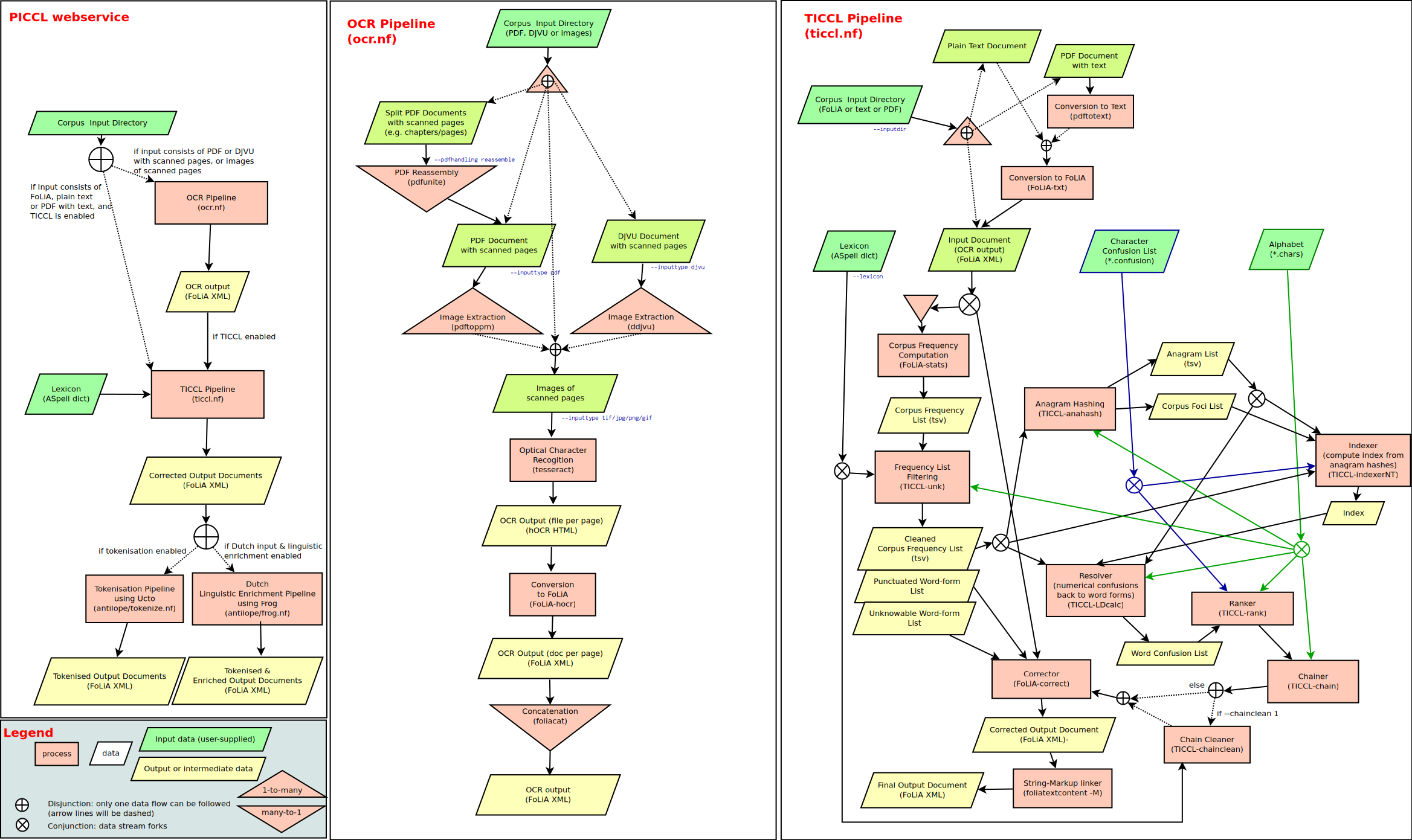
PICCL: Philosophical Integrator of Computational and Corpus Libraries PICCL offers a workflow for corpus building and builds on a variety of tools. Th

Tensorflow-based CNN+LSTM trained with CTC-loss for OCR

Overview This collection demonstrates how to construct and train a deep, bidirectional stacked LSTM using CNN features as input with CTC loss to perfo

🖺 OCR using tensorflow with attention

tensorflow-ocr 🖺 OCR using tensorflow with attention, batteries included Installation git clone --recursive http://github.com/pannous/tensorflow-ocr

This is the implementation of the paper
This is the implementation of the paper "Gated Recurrent Convolution Neural Network for OCR"

Gated Recurrent Convolution Neural Network for OCR This project is an implementation of the GRCNN for OCR. For details, please refer to the paper: htt

A tool for extracting text from scanned documents (via OCR), with user-defined post-processing.

The project is based on older versions of tesseract and other tools, and is now superseded by another project which allows for more granular control o

MXNet OCR implementation. Including text recognition and detection.

insightocr Text Recognition Accuracy on Chinese dataset by caffe-ocr Network LSTM 4x1 Pooling Gray Test Acc SimpleNet N Y Y 99.37% SE-ResNet34 N Y Y 9

Releases(v1.0.4)
  • v1.0.4(Dec 24, 2021)

    青尘公式 OCR 的第一个发行版,基于 v1.0.4 版本源码,使用 PyInstaller 编译并打包。

    • 适用系统:
      • Windows / macOS 系统,可以下载对应版本的 zip 压缩包。Linux 平台用户可下载源码并自行编译打包。
      • 在 Windows 10 / macOS 10.15 平台测试通过,其余版本系统的兼容性暂时未测试。
    • 使用方法:
      • Windows 系统:下载并解压 QC-Formula-v1.0.4-win10-64bit.zip 压缩包,打开 青尘公式 OCR.exe 即可运行。
      • macOS 系统:下载并解压 QC-Formula-v1.0.4-macOS10.15-64bit.zip 压缩包,打开 QC-Formula-v104.exec 即可运行。
      • 首次打开后,需要进行公式识别 API 的配置。 方法可以参考:使用教程
    • v1.0.4 更新与修复:
      1. 修改了部分 PyQt 控件尺寸,使控件在 1920x1080 分辨率屏幕中,也能够以相对正常的尺寸显示。
      2. 修复了 Windows 系统下,当路径存在中文时,程序闪退的问题。(如果依然发生闪退,可以参考:解决方案
    Source code(tar.gz)
    Source code(zip)
    QC-Formula-v1.0.4-macOS10.15-64bit.zip(34.37 MB)
    QC-Formula-v1.0.4-win10-64bit.zip(34.89 MB)
Owner
青尘工作室
一个喜欢做有趣事情的工作室。
青尘工作室
Dirty, ugly, and hopefully useful OCR of Facebook Papers docs released by Gizmodo

Quick and Dirty OCR of Facebook Papers Gizmodo has been working through the Facebook Papers and releasing the docs that they process and review. As lu

Bill Fitzgerald 2 Oct 28, 2021
Hand gesture detection project with aweome UI implementation.

an awesome hand gesture detection project for you to be creative! Imagination is the limit to do with this project.

AR Ashraf 39 Sep 26, 2022
Image processing using OpenCv

Image processing using OpenCv Write a program that opens the webcam, and the user selects one of the following on the video: ✅ If the user presses the

M.Najafi 4 Feb 18, 2022
BNF Globalization Code (CVPR 2016)

Boundary Neural Fields Globalization This is the code for Boundary Neural Fields globalization method. The technical report of the method can be found

25 Apr 15, 2022
[ICCV, 2021] Cloud Transformers: A Universal Approach To Point Cloud Processing Tasks

Cloud Transformers: A Universal Approach To Point Cloud Processing Tasks This is an official PyTorch code repository of the paper "Cloud Transformers:

Visual Understanding Lab @ Samsung AI Center Moscow 27 Dec 15, 2022
Introduction to Augmented Reality (AR) with Python 3 and OpenCV 4.2.

Introduction to Augmented Reality (AR) with Python 3 and OpenCV 4.2.

fernanda rodríguez 85 Jan 02, 2023
nofacedb/faceprocessor is a face recognition engine for NoFaceDB program complex.

faceprocessor nofacedb/faceprocessor is a face recognition engine for NoFaceDB program complex. Tech faceprocessor uses a number of open source projec

NoFaceDB 3 Sep 06, 2021
Pixel art search engine for opengameart

Pixel Art Reverse Image Search for OpenGameArt What does the final search look like? The final search with an example can be found here. It looks like

Eivind Magnus Hvidevold 92 Nov 06, 2022
A simple demo program for using OpenCV on Android

Kivy OpenCV Demo A simple demo program for using OpenCV on Android Build with: buildozer android debug deploy run Run (on desktop) with: python main.p

Andrea Ranieri 13 Dec 29, 2022
Some Boring Research About Products Recognition 、Duplicate Img Detection、Img Stitch、OCR

Products Recognition 介绍 商品识别,围绕在复杂的商场零售场景中,识别出货架图像中的商品信息。主要组成部分: 重复图像检测。【更新进度 4/10】 图像拼接。【更新进度 0/10】 目标检测。【更新进度 0/10】 商品识别。【更新进度 1/10】 OCR。【更新进度 1/10】

zhenjieWang 18 Jan 27, 2022
Character Segmentation using TensorFlow

Character Segmentation Segment characters and spaces in one text line,from this paper Chinese English mixed Character Segmentation as Semantic Segment

26 Aug 25, 2022
This is a passport scanning web service to help you scan, identify and validate your passport created with a simple and flexible design and ready to be integrated right into your system!

Passport-Recogniton-System This is a passport scanning web service to help you scan, identify and validate your passport created with a simple and fle

Mo'men Ashraf Muhamed 7 Jan 04, 2023
Detect handwritten words in a text-line (classic image processing method).

Word segmentation Implementation of scale space technique for word segmentation as proposed by R. Manmatha and N. Srimal. Even though the paper is fro

Harald Scheidl 190 Jan 03, 2023
WACV 2022 Paper - Is An Image Worth Five Sentences? A New Look into Semantics for Image-Text Matching

Is An Image Worth Five Sentences? A New Look into Semantics for Image-Text Matching Code based on our WACV 2022 Accepted Paper: https://arxiv.org/pdf/

Andres 13 Dec 17, 2022
Camera Intrinsic Calibration and Hand-Eye Calibration in Pybullet

This repository is mainly for camera intrinsic calibration and hand-eye calibration. Synthetic experiments are conducted in PyBullet simulator. 1. Tes

CAI Junhao 7 Oct 03, 2022
Deep LearningImage Captcha 2

滑动验证码深度学习识别 本项目使用深度学习 YOLOV3 模型来识别滑动验证码缺口,基于 https://github.com/eriklindernoren/PyTorch-YOLOv3 修改。 只需要几百张缺口标注图片即可训练出精度高的识别模型,识别效果样例: 克隆项目 运行命令: git cl

Python3WebSpider 117 Dec 28, 2022
Can We Find Neurons that Cause Unrealistic Images in Deep Generative Networks?

Can We Find Neurons that Cause Unrealistic Images in Deep Generative Networks? Artifact Detection/Correction - Offcial PyTorch Implementation This rep

CHOI HWAN IL 23 Dec 20, 2022
An official PyTorch implementation of the paper "Learning by Aligning: Visible-Infrared Person Re-identification using Cross-Modal Correspondences", ICCV 2021.

PyTorch implementation of Learning by Aligning (ICCV 2021) This is an official PyTorch implementation of the paper "Learning by Aligning: Visible-Infr

CV Lab @ Yonsei University 30 Nov 05, 2022
📷 Face Recognition using Haar-Cascade Classifier, OpenCV, and Python

Face-Recognition-System Face Recognition using Haar-Cascade Classifier, OpenCV and Python. This project is based on face detection and face recognitio

1 Jan 10, 2022
天池2021"全球人工智能技术创新大赛"【赛道一】:医学影像报告异常检测 - 第三名解决方案

天池2021"全球人工智能技术创新大赛"【赛道一】:医学影像报告异常检测 比赛链接 个人博客记录 目录结构 ├── final------------------------------------决赛方案PPT ├── preliminary_contest--------------------

19 Aug 17, 2022