Currency Merger
Description
Currency Merger is a simple tool for joining values in different currencies. For example, if I have money in USD, EUR, BRL and AED, I could use this tool to see how much I have in total in USD.
This is my first project ever, I did it for an Applied Algorithmic Thinking class. It was made in Python with the libraries TKinter and Requests, as well as the API ExchangeRate. This being said, for the program to work properly you need to install the libraries used before running it.
Algorithm explanation
The algorithm gets the currency exchange rates from the ExchangeRate-API, and stores them in a dictionary called currency_rates, with the name of the currency as the key and exchange rate as the value. Then I have two main functions to perform the operations: currencyConvert() and convertAndAdd(). currencyConvert() will take a value, a “FromCurrency”, a “ToCurrency” and the conversion rates as arguments, and return the converted value. convertAndAdd() will call currencyConvert() and add the returned value in a variable called “total”, which will be accumulative (will start at 0 and we will keep adding to its value) and visible on the screen. Then, the function will update the GUI (which I will talk about next). This function’s purpose is to be called by a button in the GUI. The interaction with the user will be made through a GUI I built with the library Tkinter. It has an entry for the value, option boxes for the currencies, a button to call convertAndAdd(), a text object for the total value, and a button to reset the program (if the user wants to start adding from 0 again). The functions will take the values in the entry box and options menus as arguments, and the “total” that they’ll generate will go to the text object, which will be shown on the screen.
Algorithm Flowchart
Flowcharts to understand the important functions.


Testing
To test my algorithm, I started by testing the function currencyConvert() with assert statements. If it is working properly, then the main operation, which is the conversion, is working.
testvalue = currencyConvert(10, 'USD', 'AED', conversion_rates)
assert f'{testvalue:.2f}' == '36.73'
This code runs with no problems, which means the function is working. If you want to test it by yourself, first check the current value of the currency and edit the assert statement, because it changes every time. The function convertAndAdd() doesn't return anything. It is called by a button in the GUI, and then it updates the values that are shown. Because of this, it is harder to test with assertions, so I tested it manually by running the GUI main loop and using it.
First, I tried to convert 50 USD into BRL, and as the image below shows, it worked.

Then, I tried to add another value to the total, but now in AED, to test the accumulative part of my algorithm. It also worked.
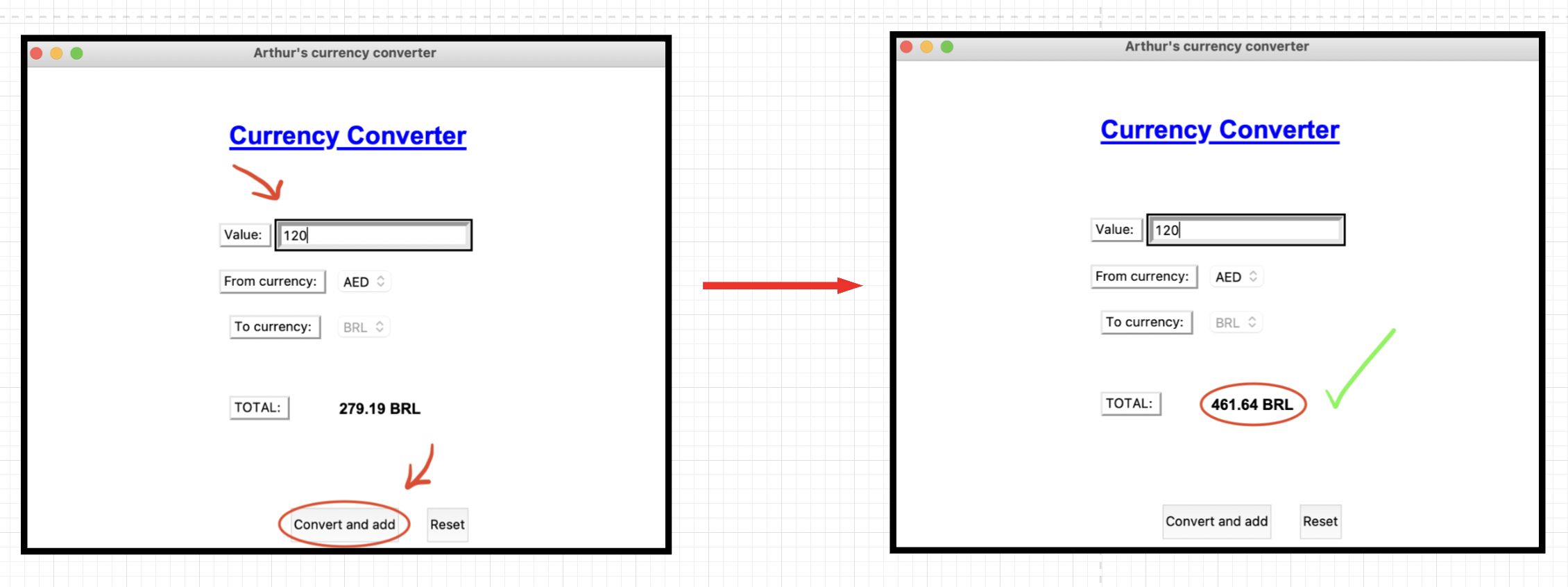
I also tested the reset button manually. It just restarts the application, and it is working fine. With all tests done, I concluded that all functionalities are working properly, and the application is ready to be used by anyone.
References
These are the sources I relied on while studying the libraries and implementation of my idea:
https://www.dataquest.io/blog/python-api-tutorial/
https://www.tutorialspoint.com/python-get-the-real-time-currency-exchange-rate
https://www.exchangerate-api.com/docs/overview
https://realpython.com/python-gui-tkinter/
https://docs.python.org/3/library/tk.html
https://www.tutorialspoint.com/python3/python_gui_programming.htm

 44 May 23, 2022
 1 Dec 13, 2021
 31 Nov 29, 2022
 2 Feb 18, 2022
 6.2k Jan 08, 2023
 3.4k Jan 01, 2023
 0 May 13, 2022
 27 Nov 01, 2022
 1 Feb 07, 2022
 194 Jan 07, 2023
 6 Mar 11, 2022
 15 Oct 21, 2022
 32 Jan 19, 2022
 37 Oct 29, 2022
 10 Oct 21, 2022
 3 Jul 01, 2022
 5 Jun 26, 2022
 37 Aug 13, 2022
 1 Jan 27, 2022